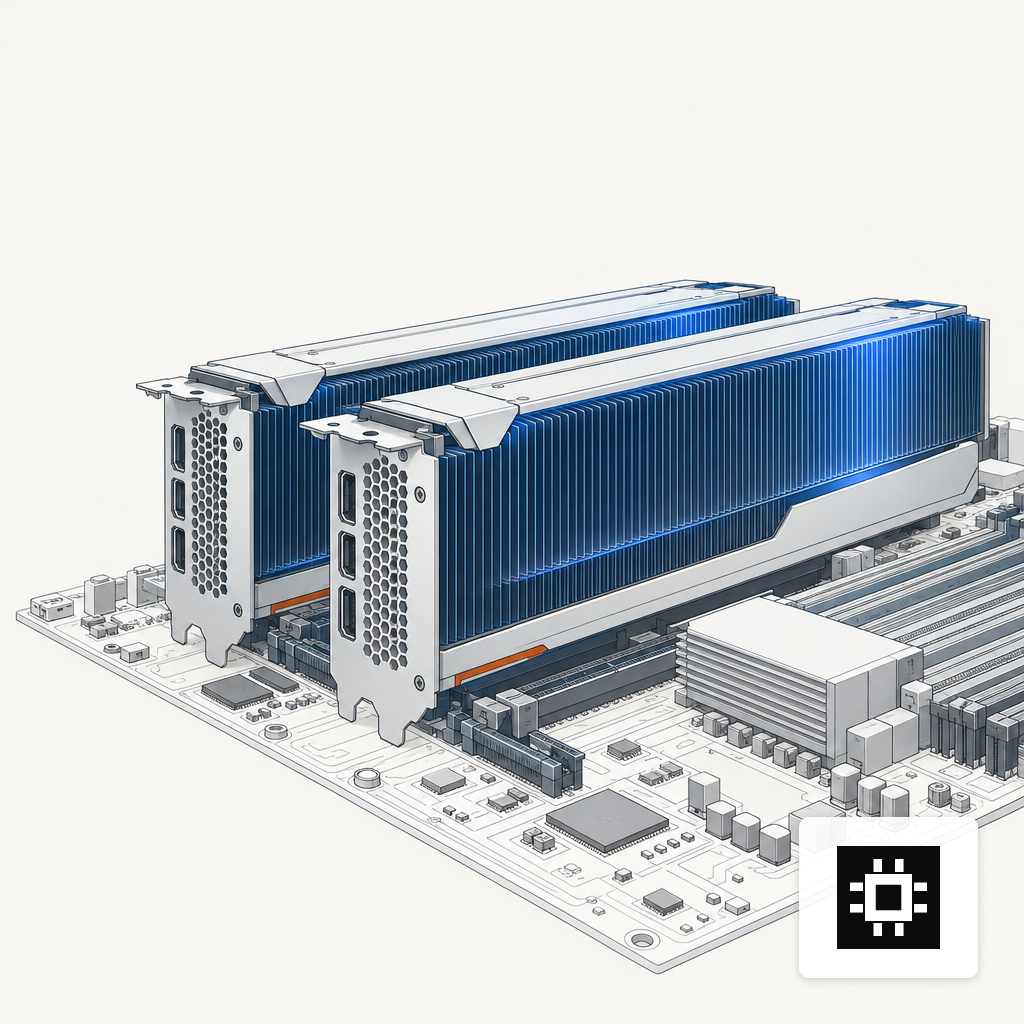
A $25,000 AI server for 70B LLMs is a dual-GPU workstation under a desk, built on two 48 GB cards.
Picking four 24 GB consumer GPUs for a first 70B build to save on workstation cards almost always costs more once the chassis, CPU platform and PCIe lanes that can feed them land on the invoice. It also runs inference at roughly half the throughput of two 48 GB cards.
The target is a mid-market team sizing their first in-house 70B deployment: Llama 3.3 70B or Qwen 2.5 72B, roughly 5 to 15 concurrent users, 4 K to 16 K context. The build is one chassis and two GPUs, not a rack. Where the dollars land matters more than their absolute count.
Where the Money Goes in a $25K Build
GPUs dominate the bill in every multi-GPU server shape, from a workstation to a full rack. The cards consume somewhere between 60 and 80 percent of hardware cost, and everything else shares the remainder. Trimming CPU, RAM or storage saves pennies; picking the wrong accelerators wastes a quarter of the budget outright. For a useful-quality 70B target, that points at roughly 96 GB of VRAM across two workstation cards and a platform that can genuinely feed them.
Two 48 GB Workstation Cards Beat Four Consumer Cards
The NVIDIA L40S has 48 GB of GDDR6 ECC memory, 864 GB/s of bandwidth, and 733 teraFLOPS of FP8 dense performance per card. Two of them hold Llama 3.3 70B at Q6_K with room for an 8 K to 16 K context window and headroom for KV cache growth under concurrent load.
Two credible alternatives sit near the same budget. A pair of RTX 6000 Ada cards offers similar VRAM at a lower TDP per slot. A pair of previous-generation A6000 can appear on the used market at material discounts, though Ampere lacks native FP8 and loses some efficiency on modern serving stacks.
Four consumer 24 GB cards look cheaper up front and introduce three problems: no ECC on the model weights, no NVLink so tensor parallel traffic runs across PCIe switches, and a CPU platform with enough lanes to feed four GPUs costs significantly more than one with two slots. The savings evaporate by the time the board, PSU and cooling are specified.
VRAM Math for 70B at Different Quants
A 70B model at FP16 occupies roughly 140 GB of weights. Quantization shrinks that at the cost of some perplexity. The useful tiers on a 96 GB system cluster at Q4_K_M (around 43 GB), Q5_K_M (50 GB), Q6_K (58 GB) and Q8_0 (75 GB). Q6_K is the pragmatic sweet spot for enterprise work: near-FP16 quality, fits with real context headroom on two 48 GB cards. For a deeper walkthrough of the memory math, see GPU memory for a 70B LLM.
CPU and Platform: Lanes Over Core Count
Once the model is resident in GPU memory, 70B inference is not CPU-bound. What the platform provides is PCIe lanes, memory channels and memory capacity. AMD's Threadripper PRO 7000 WX-Series supports 8-channel DDR5-5200 and 128 PCIe 5.0 lanes on the WRX90 platform, enough to give each GPU a full x16 slot with lanes left over for three NVMe drives and a 100 GbE NIC.
A 24-core part, rather than the 64- or 96-core flagship, is the right call at this budget. You are paying for the socket's I/O profile, not its core count. The broader AMD-versus-Intel tradeoff for GPU servers is covered in EPYC vs Xeon for GPU servers.
RAM, Storage, Power and Chassis
Four line items close out the build:
- System RAM: 256 GB of DDR5 RDIMM. Enough to hold the full FP16 weights in system memory during paging and to run vLLM with CPU offload if a larger model is tried later.
- NVMe storage: two 4 TB Gen4 drives in a mirror for OS, container images and model cache. Teams typically carry two or three quant variants of the production model, so weights eat 150 to 250 GB.
- Power supply: a single 1600 W 80 Plus Titanium unit. Titanium efficiency pays for itself because the workload holds the PSU near 60 to 80 percent load for hours at a time, which is exactly where the efficiency curve matters.
- Chassis: a 4U tower or convertible workstation chassis with front-to-back airflow and low-noise server fans. The build sits under a desk or in a closet, not in a server room.
Networking is a single onboard 10 GbE for management and one 100 GbE NIC for inference traffic once a second node arrives. InfiniBand is overkill at this scale.
Where 70B Sits in the Llama Family
The 70B variant occupies the middle of the family: large enough to compete with closed frontier models on general tasks, small enough to serve on two workstation cards. The Llama 3.3 Model Card describes the 70B as a drop-in replacement for the 3.1 405B across many benchmarks, which is the specific reason this VRAM budget is worth hitting rather than settling for a 32B class model.
The Serving Stack Multiplies the Hardware
Hardware is half the equation. On the same pair of GPUs, the serving framework decides whether each user gets 15 or 40 tokens per second. vLLM with PagedAttention improves the throughput of popular LLMs by 2 to 4× at the same latency compared to prior systems such as FasterTransformer and Orca. For chat and RAG workloads, that difference separates a responsive application from one that stalls mid-answer.
Model Size Context
Ordering open-weight models by parameter count puts 70B in a specific place: the largest tier that still runs on two workstation GPUs, and the smallest tier that handles most enterprise tasks without obvious quality compromises. Dropping to 32B or 13B buys faster tokens but changes what the model can do. Jumping to 400B-class frontier open weights pulls the build into rack territory, with multi-node networking and a much larger power envelope.
Where It Pays to Break $25K
Three upgrades justify going over. A third 48 GB GPU brings total VRAM to 144 GB, enough to serve Qwen 2.5 72B at Q8 or to run Llama 3.3 at FP16 for evaluation runs. A redundant 1600 W PSU protects against single-point failure in production. A 100 GbE NIC turns the box into a cluster-ready node for when load outgrows a single machine.
For teams starting from the numbers rather than a parts list, the AI hardware estimator maps model size, user count and context length to a recommended configuration. Teams that want this reference workstation pre-integrated with the software stack can look at the cstmAI Desk, which is the productized shape of this build.
The Change Pressing on This Decision
The shift most likely to affect this build over the next year is quantization quality. INT4 at roughly 4.5 bits per weight is already close to indistinguishable from FP16 on 70B-class models for most tasks, and 3-bit methods are advancing. If 3-bit quants hold their quality through 2026, the same 96 GB VRAM budget will serve 130B-class models, and today's reference build will carry useful life well past its original payback window. The 70B middle class is the safest place to land hardware dollars today, and the technology curve is extending that safety rather than closing it.