EPYC leads in PCIe lanes; Xeon leads in peak memory speed and multi-socket scaling. For most on-prem LLM builds, the host CPU is a container for lanes, memory channels and DRAM capacity, not the engine doing the work. Pick the family that fits your GPU count and I/O topology, then size cores last.
This piece puts specific numbers on the trade: lanes per socket, DDR5 channels and speeds, NUMA layout on the chiplet and tile architectures, and the core counts NVIDIA's own reference architectures ask for. Prices are quote only, so the goal is a spec that matches the workload rather than the biggest SKU the configurator will let you add.
The decision shows up on almost every quote: a 48- to 64-core host CPU paired with four or eight GPUs, with a second socket added by default. Half of those defaults are wrong for an inference box.
PCIe Lanes Are the First Constraint
An LLM server's host CPU exists to feed the GPUs, the NICs and the NVMe. Each PCIe Gen 5 GPU link is x16 at roughly 64 GB/s per direction. Four GPUs consume 64 lanes before you plug in networking. Add two 400 GbE NICs at x16 each and a few U.2 NVMe drives at x4, and lane budgets get tight fast.
A single-socket AMD EPYC 9005 'Turin' processor exposes 128 lanes of PCIe Gen 5 plus a handful of Gen 3 lanes for board management, and a two-socket EPYC system can present up to 160 PCIe Gen 5 lanes to the chassis. Intel's flagship Xeon 6980P brings 96 PCIe 5.0 lanes per socket. For single-socket 4-GPU workstations, that difference is the headline: EPYC fits four x16 GPUs, two NICs, and a boot pair without a switch; Xeon's 96 lanes force compromises or a PCIe switch that adds latency.
Lane count is not the whole story. Topology matters: how many lanes come off each root complex, whether GPUs share a switch, and how peer-to-peer traffic routes. Those details decide whether your 4-GPU server behaves like one fabric or four isolated pairs. We cover the switch and root-complex details in PCIe lane bottlenecks and keep the focus here on the CPU side.
Memory Channels, Capacity and the 2x Rule
Both flagships land at 12 DDR5 channels per socket. Intel's 6980P supports MRDIMM at up to 8800 MT/s, where EPYC 9005 tops out at DDR5-6400. For LLM inference, the GPUs hold the model, so host memory bandwidth rarely limits token throughput. Capacity and channel count matter more than peak MT/s.
Puget Systems' long-standing recommendation is to install at least twice the aggregate GPU VRAM as system memory. A 4-GPU H200 node with 141 GB per GPU carries 564 GB of VRAM; the rule points to 1.1 TB of DRAM, which sits comfortably inside a 12-channel socket populated with 96 GB RDIMMs. An 8-GPU B200 node puts aggregate VRAM at 1.5 TB; the rule asks for 3 TB of DRAM.
The NVIDIA DGX B200 pairs two Intel Xeon Platinum 8570 processors with 2 TB across 32 DIMMs, upgradable to 4 TB. That configuration sits under the strict 2x rule and leans on fast host I/O rather than oversized DRAM. For custom builds that hold multiple models in RAM for warm swap, or that run large retrieval indexes on the host, treat 2x as a floor, not a ceiling.
| Metric | AMD EPYC 9005 | Intel Xeon 6 (6900P / 6700E) |
|---|---|---|
| PCIe Gen 5 lanes / socket | 128 | 96 |
| DDR5 memory channels / socket | 12 | 12 |
| Max P-cores / socket | 128 (Zen 5) | 128 |
| Max dense cores / socket | 192 (Zen 5c) | 288 (E-core) |
| MRDIMM support | No | Yes (up to 8800 MT/s) |
| Max sockets per server | 2 | Up to 8 (6700P) |
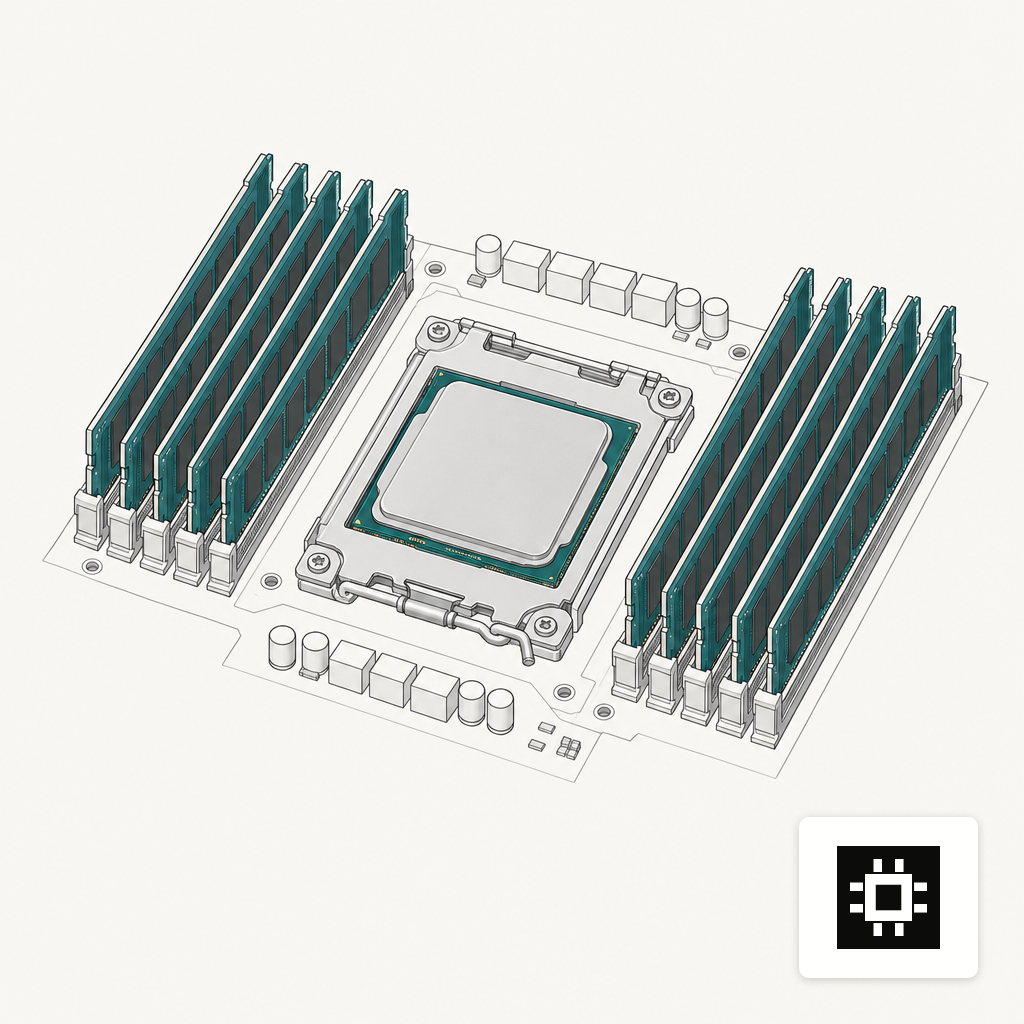
NUMA Layout and the IOD vs Tile Approach
AMD's chiplet design routes all I/O through a single I/O die, so a single-socket EPYC behaves as one NUMA node by default, with NPS modes available if you want to carve it up. Every PCIe slot sees the same memory latency. For a 4-GPU server with two NICs, that uniformity cuts a class of pinning bugs out of the picture.
Intel's Granite Rapids-AP splits compute and I/O across tiles connected by EMIB bridges. Sub-NUMA Clustering and the tile layout mean that on dual-socket Xeon, not every PCIe root is equidistant from every memory controller. GPU-to-GPU and GPU-to-NIC paths that cross the socket boundary pay a latency and bandwidth tax that shows up under load.
Two practical consequences. First, a single-socket EPYC host is usually the simpler topology for a 4-GPU or 8-GPU PCIe server. You keep one NUMA domain, you keep one PCIe fabric, and vLLM or TensorRT-LLM tensor-parallel traffic sees a flat view. Second, the second socket is a real buy decision, not a default. Add it when you need the memory capacity, the I/O for a second GPU tray, or a workload that genuinely scales across sockets. For single-model inference serving, one socket is usually enough.
Core Count Is Usually Oversized
NVIDIA's HGX reference architecture recommends a minimum of 32 physical CPU cores per socket, with 56 recommended, for 8-GPU H100, H200 and B200 nodes. A 4-GPU server scales down from there. A 64-core SKU is plenty of headroom for data loaders, pre- and post-processing, the vLLM scheduler and the gRPC front door.
Buying the 128-core flagship for an inference host is almost always wrong. The extra cores add TDP, cost and often a second DRAM population pass without adding tokens per second. AMD launched EPYC 'Turin' 9005 on 10 October 2024 with SKUs that top out at 192 cores and 500 W; Intel's 6980P ships at the same 500 W TDP. The thermal envelope of a 4-GPU chassis has limits, and the host CPU is competing with the GPUs for power and airflow.
Where high core counts earn their slot: multi-tenant inference with heavy pre-processing, document AI pipelines that run OCR and parsing before the LLM, and training or fine-tuning runs with CPU-bound data augmentation. Our breakdown of 4-GPU server cost drivers shows where CPU SKU choice lands against GPUs, memory and NVMe in a realistic build.
How to Spec the Host CPU for an LLM Workload
Start with GPU count and interconnect. For PCIe-attached 4- or 8-GPU builds, EPYC's 128 lanes per socket avoid a PCIe switch and keep the topology flat. For HGX SXM nodes where the GPUs talk over NVLink and the host CPU mainly serves data, both families work and the 2x DRAM rule drives the DIMM choice more than the brand.
Then size memory by aggregate VRAM: 2x as a floor, 3x to 4x if you hold multiple models or large indexes in host DRAM. Match core count to the heaviest pre- and post-processing step, not to the GPU count. For most inference boxes, 48 to 64 cores per socket is enough; reserve 96 cores and above for training or mixed pipelines.
Our AI hardware estimator turns model size, concurrency and context length into a target VRAM and DRAM footprint, which then pins down the CPU and lane budget. For the full menu of chassis sizes that pair with these CPU choices, the cstmAI hardware range covers 1-GPU workstations through multi-node clusters.
Where Each Family Earns the Socket
Choose EPYC when the server is PCIe-GPU heavy and you want 128 lanes per socket, a single NUMA domain and the shortest path from each GPU to every NIC. Choose Xeon when the configuration is an HGX SXM node where NVIDIA's reference designs already specify the Platinum SKU, or when MRDIMM bandwidth genuinely matters for a host-bound workload you have measured. Add the second socket only when memory capacity, PCIe root count or socket-scalable workloads force it, and size cores to the pre-processing and serving stack rather than to the GPU count.