
How do you tell whether a four-GPU workstation gives every card a real PCIe x16 link, or drops some to x8 or x4 under load? Add up the CPU lane budget, match it to the board's block diagram, and check bifurcation and ACS before accepting the build.
Four GPUs each want 16 lanes. That is 64 lanes just for the cards, before storage, networking, or extra accelerators. If the CPU, board, or firmware cannot deliver that cleanly, a slot drops to x8 or x4 and the cost shows up where it is hardest to diagnose: tail latency on multi-GPU model loads and on tensor-parallel inference.
CPU Lane Budgets Set the Ceiling
A four-GPU desk-side build starts with the CPU's own lane count. AMD's Threadripper PRO 7000 WX-Series exposes 128 PCIe 5.0 lanes to the system, which is the clean budget for four GPUs at x16 with 64 lanes left for storage, NICs, and anything else. Intel's Xeon W-3400 platform sits just below that, and the lower Xeon W-2400 tier drops the budget by nearly half while sharing the same W790 chipset.
Consumer platforms are not in the same league. A mainstream AMD Ryzen desktop CPU exposes only 24 PCIe lanes, typically carved into 16 for the primary slot, 4 for an M.2, and 4 for the chipset link. A four-GPU build on that budget is not undersized, it is impossible, and the same is true of most consumer Core-series parts. If a vendor quotes a quad-GPU workstation on a non-HEDT socket, read the block diagram before you read the price.
Lane count does not translate directly to GPU slots. Some lanes go to onboard NICs, management controllers, and NVMe storage before the first graphics slot appears. The honest number is the lane count at the slots, not the CPU datasheet total.
Slot Topology Hides the Trade-Offs
The CPU budget sets the ceiling. The board decides how it actually splits across physical slots. Workstation boards built on the AMD WRX90 chipset typically expose seven PCIe 5.0 x16 slots, six wired at electrical x16 and one at electrical x8, with onboard storage and networking peeled off separately. Pack four double-slot GPUs across the top four x16 slots and every card gets a full x16 link into the CPU root complex, with the other slots available for NVMe, networking, or a fifth accelerator.
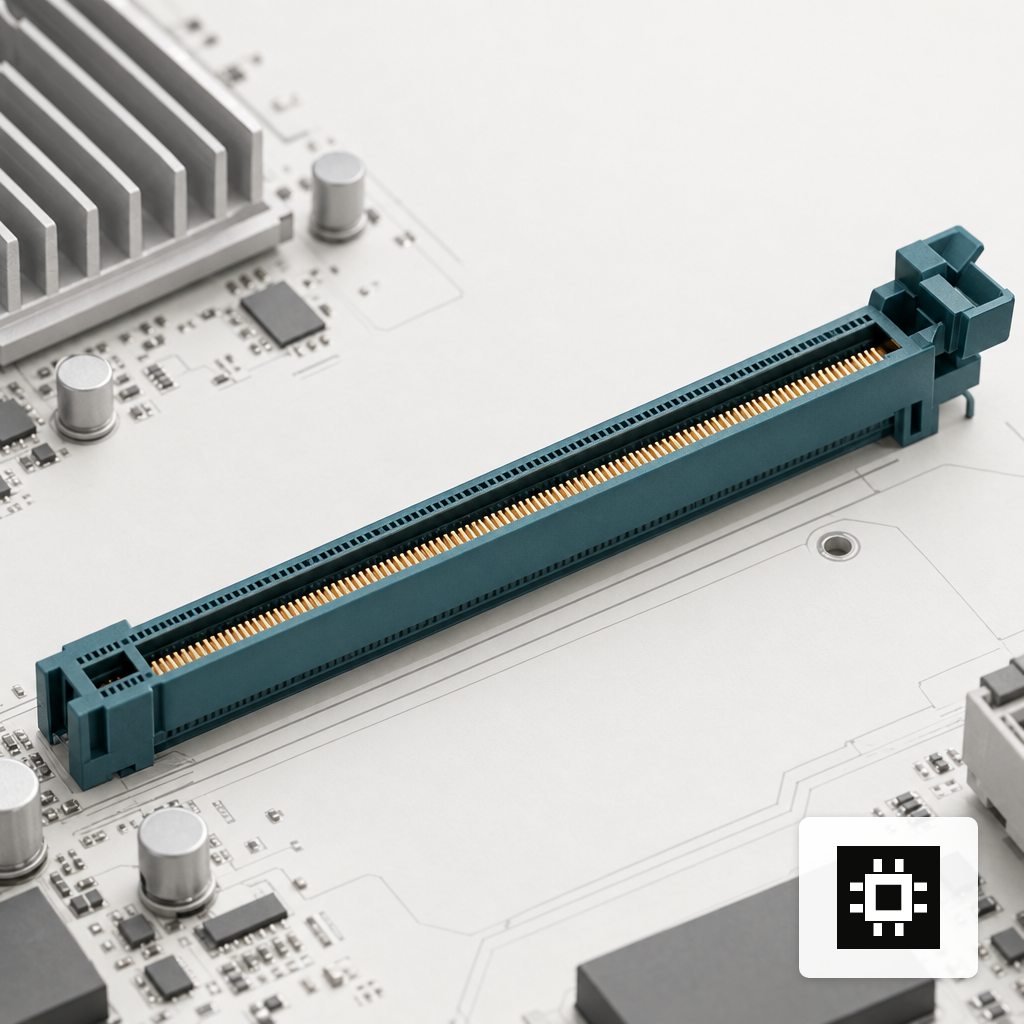
That is the clean case. The failure mode is boards where "seven x16 slots" is a physical description, not an electrical one. A slot wired at x16 physically may share lanes with a neighbor through a PCIe switch or a mux, and populating both drops each to x8. Read the block diagram in the manual, not the marketing bullet list. The same caution applies to risers and bifurcation cards, which quietly re-slice lanes that the board already presented to a single slot.
Storage adds its own tax. An M.2 Gen5 slot wired direct to the CPU takes four lanes that are then not available to the GPU slots. Workstation boards with multiple onboard NVMe and dual 10GbE can consume ten or more lanes before the first GPU gets anything, which is survivable on a 128-lane CPU and painful on anything smaller.
BIOS Bifurcation Is Where Builds Go Wrong
Bifurcation is the firmware setting that tells one physical slot how to divide its lanes. A single x16 slot can run as x16 to one device, 2x8 to two, 4x4 to four, or several combinations in between. On workstation boards aimed at AI builds, bifurcation controls whether a riser carrying two half-height cards or an NVMe adapter with four M.2 slots gets usable links to each endpoint, or only to the first one in each group.
Three failure modes show up often enough to check for by default:
- Bifurcation menus live under Advanced > Chipset > IIO configuration and typically default to Auto. Auto often picks x16 even when the slot holds a four-way adapter, so the second, third, and fourth endpoints never enumerate.
- Per-slot bifurcation options are sometimes gated on CPU detection. A platform that supports 4x4 on one socket may expose only x16 and x8 options on another revision of the same board.
- Firmware updates occasionally reset bifurcation and ACS to defaults without warning in the release notes. Record your settings before you flash, and re-verify after.
ACS, Access Control Services, is the related switch that governs peer-to-peer traffic between endpoints behind the same root port or PCIe switch. With ACS enabled, every PCIe transaction is routed back through the root complex, which hurts GPU-to-GPU traffic but gives the IOMMU clean device groups for passthrough. With ACS disabled, GPUs behind a switch can talk to each other directly, which matters for tensor-parallel inference where cards exchange activations every layer. The right setting depends on whether the build runs bare metal or virtualised, which is one of the configuration decisions that bare metal and Kubernetes deployments handle differently.
When x8 Lanes Are Enough
Not every workload cares about full x16 per card. Puget Systems benchmarked four GPUs at x16 versus x8 on common machine learning frameworks and found only a small performance drop, because most training distributes work by batches and keeps inter-GPU traffic low. Inference with per-GPU replicas, one model copy per card with requests load-balanced across them, behaves the same way. Lane width matters for the initial model load and for tensor- or pipeline-parallel inference where cards exchange activations within a single forward pass, not for independent per-card work.
The honest read is that x8 Gen5 delivers about the bandwidth of x16 PCIe 4.0, around 64 GB/s per card. Workloads that ran fine on Gen4 x16 last year will run fine on Gen5 x8 this year. If the plan is data-parallel inference across four identical replicas, pushing the CPU to deliver full x16 to each card is often overbuilt. If the plan is a 70B or larger model split across all four cards, the picture reverses and x16 matters; dropping an NVLink Bridge between pairs delivers up to 112 GB/s of GPU-to-GPU bandwidth without touching the PCIe tree. The NVLink and SXM trade-offs for inference go deeper on this, and are worth reading before locking in the x16-for-all push.
Matching the Platform to the Workload
Three conditions should shape the call for a four-GPU workstation build:
- If the workload is tensor-parallel inference on one large model split across all four cards, specify a CPU and board that give each GPU a real x16 Gen5 link, and lock bifurcation per slot before handover. That is Threadripper PRO WX on a WRX90 board, or Xeon W-3400 on a W790 board with the slot widths to back it.
- If the workload is per-GPU model replicas for data-parallel inference, x8 Gen5 at each slot is enough and buys back lanes for NVMe and networking. A Xeon W-2400, or a lower-tier Threadripper PRO, is often the right spend.
- If the workload will shift between the two over the system's life, size for the harder case and verify the BIOS exposes every bifurcation and ACS option the eventual workload will need before accepting delivery. On a cstmAI Desk build those settings are pre-configured for the model you plan to run, with a documented path to change them; for help scoping which platform fits a specific workload, a sizing conversation is the fastest route in.