
NVLink and SXM pay off when a model is sharded with tensor parallelism, when long context and heavy batching push KV cache traffic across GPUs, or when the model does not fit on one card. For everything smaller, PCIe is usually fine.
An inference quote lands with two columns at the same GPU generation, one SXM baseboard and one PCIe, and the bandwidth difference between them is wide enough to pause on what the workload between cards actually looks like.
The sections below separate the workloads where the interconnect decides throughput from the ones where it barely moves the needle, and name the specs on a quote that matter.
What NVLink and SXM Add Over PCIe
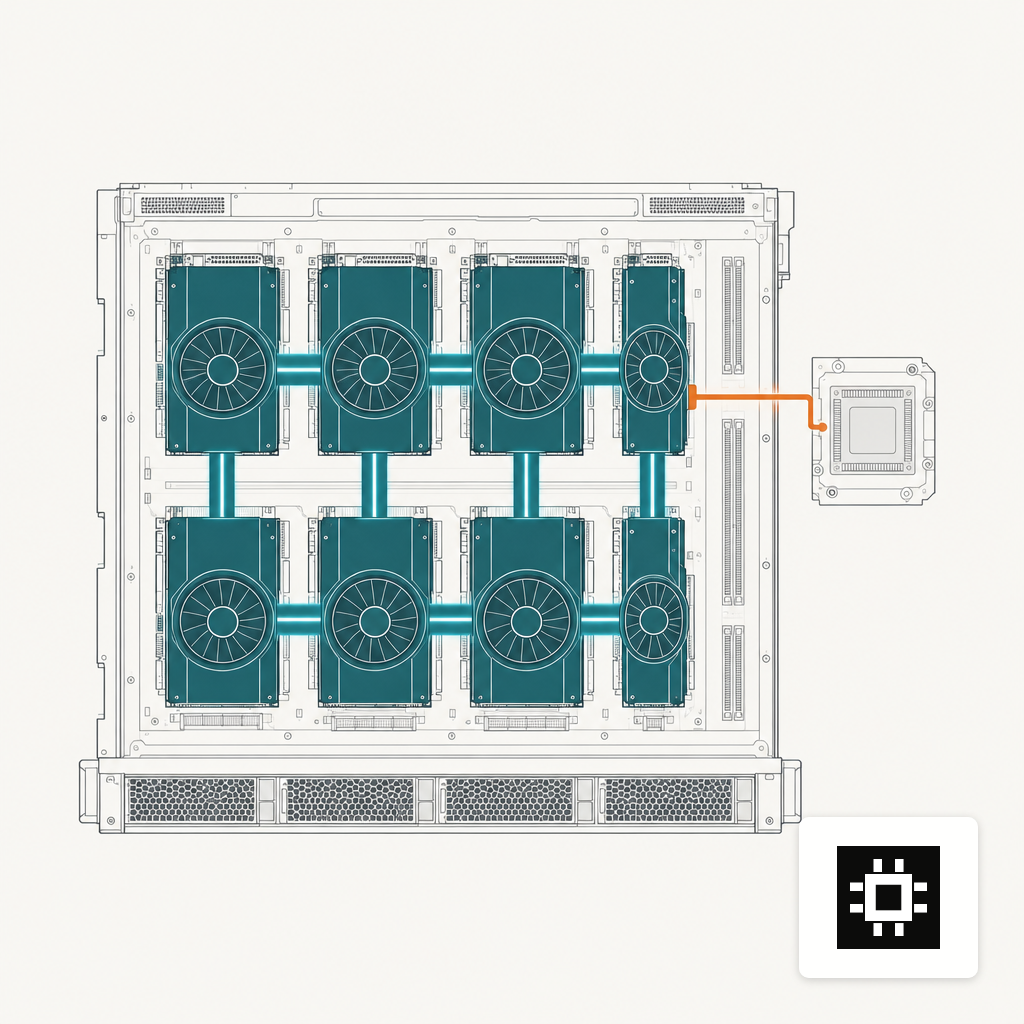
SXM is the socket. NVLink is the fabric. A GPU in an SXM package is bolted to a baseboard that routes high-speed links through NVSwitches, so every GPU can talk to every other GPU at the same rate without traversing the host. A PCIe card drops into a motherboard slot and talks to other cards through the CPU's PCIe root complex, unless two adjacent cards are bridged with an NVLink bridge connector.
The numbers set the scale. PCIe Gen5 on an x16 slot delivers about 128 GB/s bidirectional, shared between the GPU and everything else on the root complex. An H100 NVL PCIe pair, bridged with three NVLink bridges, carries 600 GB/s between the two cards. An HGX H100 SXM baseboard delivers 900 GB/s per GPU in any direction, and an HGX B200 doubles that to 1,800 GB/s. The bandwidth difference between a PCIe slot and an SXM link is more than an order of magnitude.
Whether that bandwidth difference changes your tokens per second depends on what you are running.
Tensor Parallelism Is Where the Bandwidth Difference Opens
Tensor parallelism shards each layer's weights across multiple GPUs and rejoins the activations after every matrix multiply. Every forward pass triggers all-reduce communication across the shard group, so the interconnect sits inside the critical path, not next to it. A communication compression paper measured that cost as a sizeable fraction of per-token latency on large models, rising with sequence length and batch size.
PCIe x16 cannot keep up with that load for large shard groups. Two cards bridged with NVLink can carry it for 70B-class models at modest batch sizes, which is why the H100 NVL variant exists. Four or eight PCIe cards without full NVSwitch connectivity fall back to host-mediated transfers, and throughput drops off steeply as the shard group grows.
Pipeline parallelism is the escape hatch. Split the model into stages, keep inter-stage communication to activation hand-offs, and PCIe bandwidth is often enough. The cost is per-request latency: stages process in order, so a request walks the pipeline before the next token emerges. Interactive chatbots feel this. Batch summarisation jobs do not.
For the memory sizing that drives this choice, start with 70B memory needs.
When PCIe Is the Right Call
A single GPU with enough HBM to hold the model and its KV cache. Short sequences. Offline batch work. Pipeline-parallel deployments where per-request latency is not the metric. Fine-tuning and embedding workloads dominated by compute, not inter-GPU traffic. Retrieval pipelines where the LLM step is one call behind a vector database. In those cases the PCIe penalty is a rounding error against the rest of the stack.
PCIe Gen5 is also the only socket for parts of the lineup. Workstation and tower chassis across the four cstmAI sizes rely on PCIe because no SXM baseboard fits them, and several of the parts that go in them, including the H100 PCIe and RTX PRO, ship only as PCIe cards. The honest comparison for a small team running one or two models under moderate concurrency is often PCIe against PCIe, not SXM against anything else.
The watch-out is memory bandwidth, which is not the interconnect question but gets conflated with it. The H100 SXM moves 3.35 TB/s from HBM3, while the H100 PCIe 80GB variant uses HBM2e at roughly 2 TB/s, a difference of about 68 percent at the same capacity, independent of how the cards talk to each other. Pick the PCIe part knowing both constraints apply, and size the chassis to the one that pinches first.
KV Cache and Batching Push the Tipping Point
KV cache grows linearly with context length and batch size. In a tensor-parallel deployment the cache is sharded alongside the weights, so every token generation reads and writes across GPUs. Long context windows and higher concurrency compound the inter-GPU traffic in a way that favors NVLink over PCIe quickly, and the effect shows up as tail latency before it shows up as average.
Two practical thresholds help. First, if your workload includes long documents or large batch serving, assume the interconnect requirement scales roughly with sequence length times active requests. Second, if you plan to run multiple concurrent model instances on the same node, PCIe contention through the root complex adds up and request tails drift upward.
Rack-scale designs push this to the limit. The GB200 NVL72 interconnects 72 Blackwell GPUs through nine NVLink switch trays as one NVLink domain, so trillion-parameter models can be served without crossing an external network. Most on-prem buyers do not need that, but the architecture tells you where the ceiling is when memory and KV traffic no longer fit a single chassis.
What You Are Paying For in an SXM Chassis
SXM comes as part of a chassis. You cannot buy an H100 SXM card and plug it into a tower. The DGX, HGX and rackmount designs built around the baseboard add NVSwitches, cold plates or large fan walls, power delivery for 700 W to 1 kW per GPU, and a service contract shaped around the system. A recent NVIDIA DGX B200 packs all of that into a 10U chassis with dedicated cooling and PSU headroom that a general-purpose rack cannot assume.
PCIe systems are more flexible. Mixed configurations, smaller chassis, easier field service, and a wider parts list, including non-NVIDIA accelerators. The AI hardware estimator can tell you which side of the line a given model and user count fall on before the quote lands, and the answer is often not the more expensive column.
Reading the Quote on Your Desk
If the model is 70B or smaller, fits on one or two cards with headroom for your context window, and serves a moderate user count, the PCIe column is probably the right answer. If the model is 180B or more, if you plan to grow context windows into the hundreds of thousands of tokens, or if you run heavy batched concurrency across many users, the SXM column is paying for something your workload will actually use. The fabric decision follows the workload, not the brochure. Match the quote to the traffic the model will actually move between cards, and the two columns stop looking equivalent.