NVIDIA says its GB200 NVL72 delivers up to a 30X inference increase over the same number of H100 GPUs for LLM workloads. That reshapes the math on what you buy for an on-prem system: the ceiling moved, but so did price, power, and lead time, so the H100 and H200 are still in the mix.
This piece puts the four GPUs most on-prem buyers are weighing side by side: the H100, the H200, the B200, and the workstation-class RTX PRO 6000 Blackwell. The goal is to match the right card to your model size, context length, user count, and rack realities before you specify a build and ask for a quote.
Where the H100 Still Fits
The H100 was NVIDIA's first Hopper data-center GPU, with 80 GB of HBM3 and FP8 Transformer Engine support. Those specs cover 7B through 70B open-weight models for the majority of inference workloads. A Llama 3.1 70B at FP8 lands around 70 GB of weights, leaving thin headroom on an 80 GB card. The practical limit is KV cache: long-context sessions or heavy concurrency push past what 80 GB cleanly holds.
For a build targeting 7B-34B models at high concurrency, or a single-node 70B serving a small team, an H100 node is a well-understood choice on lead time and operational familiarity. A deeper read on sizing these setups is in the post on NVIDIA GPU requirements for open-weight LLMs.
Why the H200 Changed the Memory Math
The H200 kept the Hopper architecture and SXM socket, which matters: it drops into existing H100 chassis and uses the same software stack. What changed is memory. The NVIDIA H200 ships with 141 GB of HBM3e at 4.8 TB/s, nearly double the capacity of the H100 and 1.4X the bandwidth, and NVIDIA reports a 1.9X Llama 2 70B inference speedup and 1.6X GPT-3 175B speedup over the H100.
Bandwidth is the quiet variable in LLM inference. Decode is memory-bound: the model reads every weight on every token, so TB/s sets the ceiling on tokens per second per user. The H200 wins at batch-size-one latency the moment weights fit in faster memory, and it leaves a much larger KV cache budget alongside the weights.
For deployments running one 70B model with mixed single- and multi-user traffic, the H200 shifts the sizing table. A model that needed two H100s now fits a single H200 with headroom for a usable KV cache. The post on 70B GPU memory math walks the arithmetic step by step.
Where B200 Earns Its Rack Space
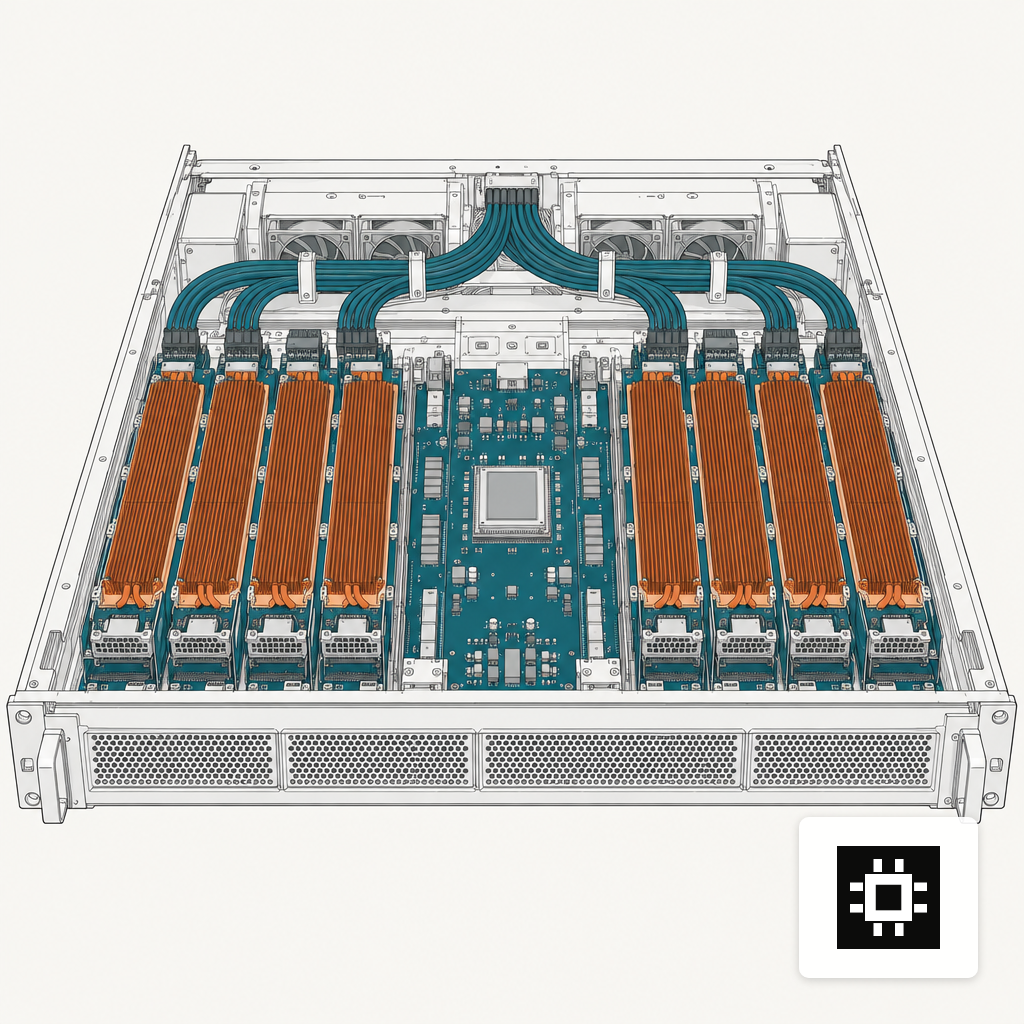
The B200 shifts the frame. Blackwell adds native FP4 compute and bumps memory to 180 GB of HBM3e per GPU with 8 TB/s of bandwidth. The DGX B200 reference aggregates eight of these into 1,440 GB of HBM3e, 72 PFLOPS of FP8 training, and 144 PFLOPS of FP4 inference, and NVIDIA claims 15X the inference performance of its DGX H100 predecessor.
System-level MLPerf numbers back the claim. On MLPerf Inference v5.1, an 8x HGX B200 reached 102,725 tokens/sec offline on Llama 2 70B and 1,246.79 tokens/sec server-mode on Llama 3.1 405B, using TensorRT 10.11 on CUDA 12.9. That is the kind of throughput that lets a single node serve a 405B model for interactive use.
Cost is the counterweight. Modal's 2025 B200 teardown puts standalone B200 SXM modules at $30,000-$40,000 each and a full DGX B200 near $515,000. Power is the other one: an air-cooled DGX B200 sits around 14 kW at peak, which is a different conversation with facilities than a 10 kW DGX H100.
Where RTX PRO 6000 Blackwell Fits
The RTX PRO 6000 Blackwell is the outlier. It is a workstation-class card, not a data-center SXM module, but the Blackwell silicon inside it matters. Tom's Hardware reports the RTX PRO 6000 ships with 24,064 CUDA cores on an almost-fully-enabled GB202 die, 96 GB of GDDR7 ECC memory, and a 600 W TDP, double the 300 W of the prior RTX 6000 Ada.
GDDR7 is slower than HBM3e: roughly 1.8 TB/s instead of the 4.8 to 8 TB/s on the SXM cards. That rules the RTX PRO 6000 out of top-end batched serving, but it reframes what sits under a desk. 96 GB holds Llama 3.1 70B at FP4 or Mistral Large at FP8, and the PCIe form factor fits a two-slot tower. For a two-to-four-user pilot, a Document AI workbench, or a developer running a coding agent locally, the card is a credible alternative to a half-populated data-center node.
Matching GPU to Workload
Four variables decide the pick:
- Model size. 7B-34B at FP8 runs cleanly on any of the four. 70B at FP8 needs 80 GB, with the H200 as the comfortable single-GPU choice. 175B and 405B need multi-GPU B200 or tensor-parallel H200.
- Context length. Every extra 1,000 tokens of context adds KV cache, which scales with model layers and hidden size. A 70B model at 128K context can want 40 to 60 GB of KV cache, which only H200 and B200 hold alongside the weights.
- Concurrency. Each in-flight request keeps its own KV cache. Fifty concurrent 8K-context sessions on a 70B model is the point at which an H100 starts swapping and an H200 earns its premium.
- Power and cooling. H100 and H200 SXM modules sit near 700 W. B200 pushes to around 1,000 W. The RTX PRO 6000 is 600 W but in a workstation chassis.
Rack, Power and Cooling Realities
Buying the card is half the problem. An 8-GPU B200 node wants around 14 to 15 kW at the rack, 208 V three-phase power, and either hot-aisle containment or direct liquid cooling to run at sustained load. H200 nodes land closer to 10 to 11 kW. A workstation holding one or two RTX PRO 6000 cards runs on a standard 20 A circuit. If your data center was built for 6 kW per rack, a B200 node likely needs facility work before day one, which adds weeks to the installation plan.
Picking the Right Card for Your Stack
Three situations cover most on-prem buyers:
- Pilot or team of five to ten on 7B-34B models. Start with one or two RTX PRO 6000 cards in a desk-side workstation. Match model size, context length, and concurrency against the card's 96 GB before you buy.
- Fifty to a few hundred users on a single 70B model. An H200 node tends to land as the current sweet spot for cost per token on Hopper software stacks. Keep an eye on NVLink topology, rack power, and whether a second node is needed for redundancy.
- Agentic workloads, 100K+ contexts, or 175B-405B models. B200 is where the shortlist usually lands, with the understanding that power, cooling, and lead times move too. A full AI system spec folds the GPU choice into chassis, networking, cooling and software so the pick holds together on day one.
If one of those three matches your build, request a quote with your model list, user count, and target context length in hand.