Most sizing arguments for on-prem LLMs collapse into one question dressed up in different words: which NVIDIA card do you actually need to run model X for Y users at the context length you promised the business. The answer is not a brand of GPU. It is a running total of three numbers: weights at a given quantization, KV cache per concurrent request, and a working margin for activations and framework overhead. Add them, compare to the memory on the card, and the shortlist writes itself.
This piece is a model-by-model reference across the open-weight families most teams are deploying in 2026: Llama 3.1 and 3.3, Qwen 2.5 and Qwen3, Gemma 3, Mistral and Mixtral, DeepSeek V3 and R1, Kimi K2, and gpt-oss. For each one it names a realistic quantization, the VRAM you need to serve it, and which NVIDIA cards from the current fleet (RTX 6000 Ada, L40S, A100, H100, H200, B200) actually hold the workload.
How to Read a GPU Requirement
The arithmetic is simple and worth internalizing before any model-specific table. Weights at FP16 take roughly two bytes per parameter. FP8 and INT8 halve that to about one byte. Four-bit quantizations (AWQ, GPTQ, Q4_K_M) land near half a byte. So a dense 70B model is roughly 140 GB at FP16, 70 GB at FP8, and 40 GB at INT4 before any serving overhead. A quantization study across model sizes from 1B to 405B found that FP8 is the most robust option across tasks, while 70B-scale models typically keep strong accuracy at 4 bits and smaller models can lose noticeable quality there.
KV cache is the part most sizing posts underweight. It scales with batch size, context length and model architecture. For a dense 70B, a rough per-request budget is around 5 GB at 8K context, 20 GB at 32K, and 80 GB at 128K in FP16. Models with Grouped-Query Attention (Llama 3, Qwen, Mistral) are cheaper per token than old-style multi-head designs. Models with Multi-head Latent Attention (DeepSeek V3/R1) are cheaper still. Multiply per-request KV by concurrent users, add 10 to 15 percent for activations and framework buffers, and that is your real memory floor.
Throughput then follows memory bandwidth and the serving stack. NVIDIA reports that NIM-optimized Llama 3.1 8B hits up to 2.6X higher throughput than an off-the-shelf H100 deployment, so the same GPU can carry very different concurrency depending on what is on top of it. Our own notes on vLLM and Ollama cover the trade-offs for serving in production.
The NVIDIA Fleet at a Glance
Six cards cover almost every current on-prem build. The RTX 6000 Ada is a 48 GB workstation GPU with 960 GB/s memory bandwidth and 300W power, right for 1 to 2 GPU desks and small server builds without datacenter cooling. L40S is a 48 GB datacenter card with much higher throughput, good for mixed inference and light fine-tuning. A100 80GB is the Ampere workhorse with 1,935 GB/s of HBM2e bandwidth on the PCIe variant and 2,039 GB/s on SXM, still ubiquitous but without native FP8.
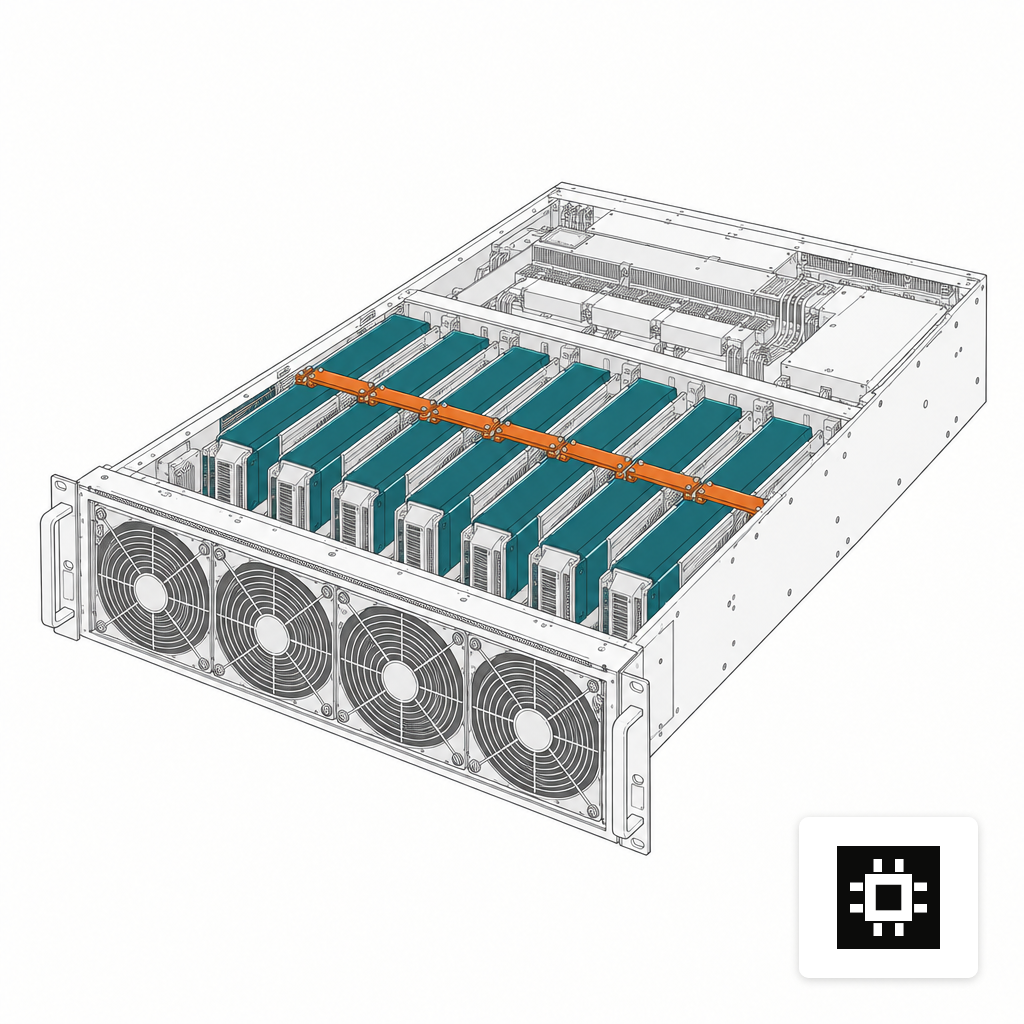
H100 80GB adds native FP8, the current default for dense 70B serving and the baseline for most modern MoE deployments. H200 is a drop-in evolution with 141 GB HBM3e and higher bandwidth, which is what makes single-node deployment of 671B-class MoE models feasible. B200 (Blackwell) extends that further and is where new multi-node clusters are going. Our full server configuration guide maps these into the four cstmAI sizes (Desk, Rack, Cluster, Edge).
Small Models That Fit On One Card
The 7B to 14B tier is where most pilots live and where single-GPU economics are easiest to defend. Llama 3.1 8B, Mistral 7B, Qwen3 8B and Gemma 3 12B all serve comfortably on a single 24 to 48 GB card at FP8 or INT8, with headroom for long context and tens of concurrent users. An RTX 6000 Ada or L40S is typically overkill in VRAM and right-sized in throughput for a team of 20 to 50 people.
Gemma 3 27B is the natural upper bound for a single workstation GPU. At Q4_K_M it needs about 15.1 GB for weights, and at Q8_0 about 25 GB, so it fits an RTX 6000 Ada or L40S with room for a reasonable KV cache. Qwen3 32B at FP8 lands near 32 GB of weights and is a 48 GB single-card job in practice.
For buyers running a pilot or a small department, a cstmAI Desk with one or two of these cards is usually enough. The failure mode to watch for is the one that always catches teams off guard: you size for 10 users and then marketing finds the chat window.
The 70B Class
Llama 3.3 70B and Qwen 2.5 72B are the models most mid-market deployments standardize on, and their numbers are now well understood. At FP16, Llama 3.3 70B weights are around 140 GB, with peak VRAM near 154 GB including activations and KV cache. At FP8 that halves to roughly 70 GB of weights. At INT4 (AWQ or Q4_K_M), weights drop to around 40 GB with a practical footprint near 45 GB at 8K context.
What that means in cards:
- FP16: 2x H100 or 2x A100 80GB at minimum, with real concurrency usually calling for 4x cards.
- FP8: single H100 or H200 for low concurrency, 2x H100 for 25 to 50 concurrent users with longer context.
- INT4: single H100, L40S or RTX 6000 Ada for small teams, 2x cards once KV cache for 100+ users is added.
We cover this tier in more depth in GPU memory for 70B models and in the concurrent-user sizing article.
The MoE Giants: DeepSeek, Qwen3-235B, Kimi K2
Mixture-of-Experts models change the memory conversation but not the way most buyers assume. Only a fraction of parameters activate per token, so throughput is high relative to total size. But every weight still has to be resident in VRAM. Plan for the total, not the active count.
DeepSeek V3 and R1 are 671B total parameters with roughly 37B active, trained natively in FP8. In FP8 the weights take about 700 GB plus KV cache, which an 8x H200 node with 1,152 GB of VRAM accommodates on a single machine. On H100, the same model needs either a 16x card deployment or AWQ-INT4 quantization to fit on 8 cards. H100, H200 and B200 are the practical options here because they have native FP8 compute; A100 forces BF16 and doubles the memory bill.
Qwen3-235B-A22B needs about 235 GB at FP8 or 117 GB at INT4, which lines up with 8x H100 at FP8 or 4x H100 at INT4 after accounting for runtime overhead. It will not fit on any single GPU at any current quantization.
Kimi K2 is the extreme case: 1T total parameters, 32B active, trained with QAT-INT4. The full Q8 model is around 1.09 TB and needs at least 8x H200. Four-bit quants land in the 580 to 610 GB range, which fits on 8x H100 or 4x H200. For most buyers, Kimi K2 is a cluster workload, not a single-server one.
gpt-oss and the Mistral Family
OpenAI released gpt-oss-120b and gpt-oss-20b on August 5, 2025 under Apache 2.0, with the 120B model optimized to run on a single 80GB GPU using native MXFP4 quantization. It is a 36-layer MoE with 128 experts per layer, 4 active per token, and 128K context. In practice that means gpt-oss-120b is a single H100 or H200 workload, which is unusual at its parameter count and part of why it is seeing fast adoption on-prem. gpt-oss-20b sits comfortably on a single 24 to 48 GB card.
Mistral and Mixtral cover the middle. Mistral 7B and Nemo 12B are single-card models at any realistic quantization. Mixtral 8x7B (47B total, 13B active) needs roughly 48 GB at FP8 and 24 to 28 GB at INT4; one L40S or RTX 6000 Ada handles it. Mixtral 8x22B is a two-card job on H100 at FP8 and single-card on H200.
Mapping Users to Cards
Concurrency is where the KV cache math decides the GPU count. A useful back-of-envelope for a 70B dense model at FP8 serving mixed 8K/32K prompts: budget 5 to 15 GB per concurrent user on top of weights. For a 128K context deployment, that jumps to 60 to 80 GB per user, which is why long-context chat with 50 users on a single H100 does not work no matter how aggressive the quantization. Our team-size sizing guide walks through the ratios in more detail.
Three practical patterns cover most deployments:
- Small team, one model: 1x RTX 6000 Ada or L40S for a 7B to 32B model, FP8 or INT4, short context. Fits a cstmAI Desk.
- Department, 70B class: 2x to 4x H100 or 1x H200 at FP8, 25 to 100 users, 32K context. Fits a cstmAI Rack.
- Enterprise, MoE flagship: 8x H200 single node for DeepSeek or Qwen3-235B, multi-node for Kimi K2. Fits a cstmAI Cluster.
The free hardware estimator will do this math against your actual user count, context length and model shortlist. If the answer is more than one card or more than one model, that is where a quote conversation starts.
Where This Reference Stops Being Enough
Published VRAM numbers are honest for weights and reasonable for KV cache at a given context, but they do not price in production reality: tensor parallelism overhead across GPUs, draft-model memory for speculative decoding, LoRA adapters loaded alongside base weights, or the vision tower when a multimodal variant is in play. They also assume a serving stack that batches well. A model that fits on paper can still fall over the first time 40 users hit it at 4pm. Treat the tables above as a shortlist, not an answer, and validate at the quantization and framework you actually plan to run.
The honest version of GPU sizing is this: pick the model, pick the quantization you can defend on quality, add weights, KV cache and overhead, and buy the card that holds the sum with room to grow. The six NVIDIA SKUs above cover the full open-weight landscape in 2026, from a 7B pilot on a workstation to a trillion-parameter MoE on a cluster. The hard part is not choosing between them. It is being honest about which model you really need.