Game studios have a hardware problem that most IT buyers never face. A single developer's machine has to run a modern engine, bake lighting, compile shaders and now hold a local code assistant, an asset generator and sometimes a behavior model for an NPC prototype. Each of those workloads wants the GPU, the RAM and the storage bandwidth to itself. None of them can leave the building, because the project is under NDA.
Public LLM endpoints are not an option when the source tree contains a publisher's unreleased IP, so the model has to live on the same network as the engine, and often on the same box. This piece lays out how to spec a game development workstation that handles both sides without starving either, and where a shared rack or small cluster takes over from a desk machine.
How do you actually size one of these?
The Dual Workload Nobody Specs For
A standard game dev workstation is already a demanding build. Puget's 2026 guidance for Unreal Engine developers notes that shader compiles, large editor sessions and parallel tools can consume substantial amounts of RAM, and that 128 GB to 256 GB is common for programming-heavy roles. The artist tier leans on VRAM instead, because Nanite assets, 8K textures and hardware ray tracing push the GPU hard.
Add a local LLM to that box and the picture changes. A 14B coding model in 4-bit sits around 10 GB of VRAM before you load context. A 32B reasoning model with a 32K window pushes past 24 GB. A diffusion model for concept art and texture variants wants 12 to 16 GB of its own. If the engine is already using the GPU for Lumen preview, there is nothing left.
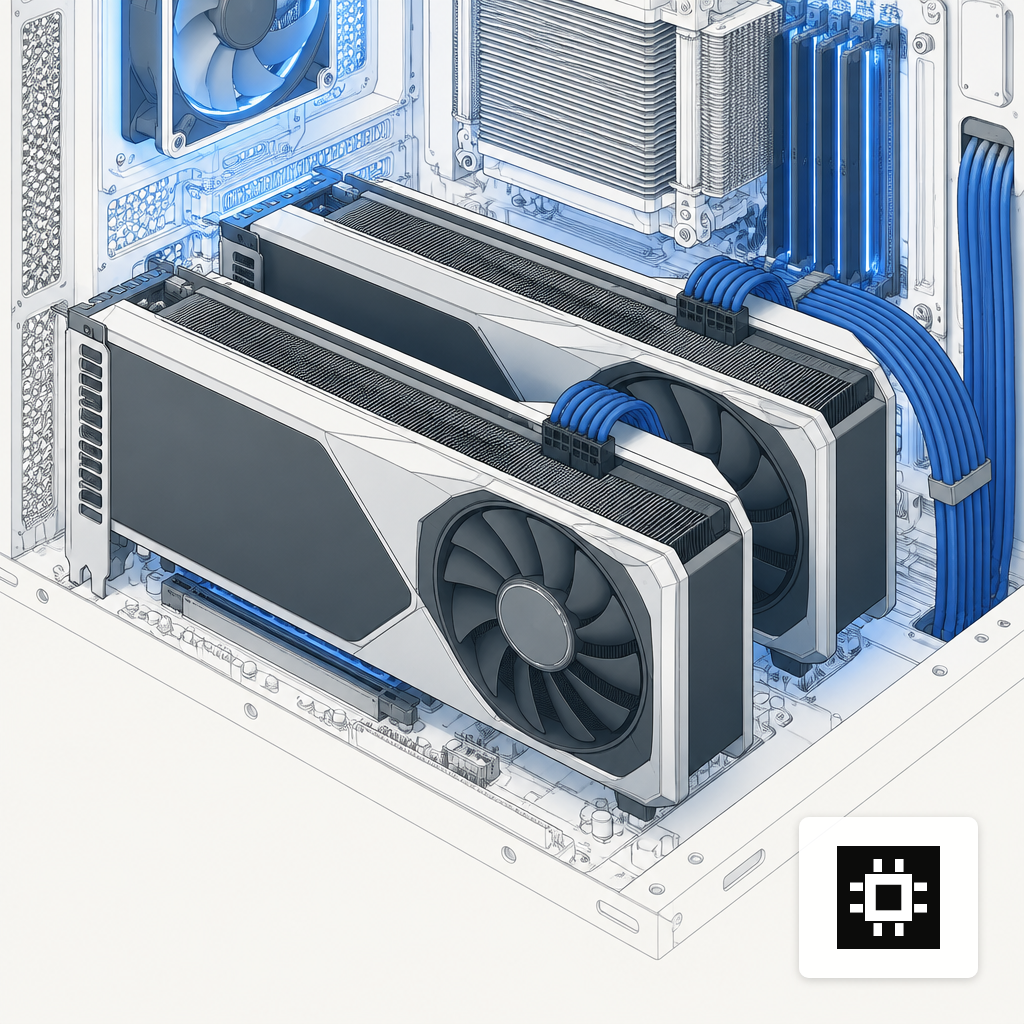
Two routes solve this. Dedicate a second GPU in the same chassis to inference, so the engine never fights the model for VRAM. Or move the model off the desk entirely and serve it from a shared box over the LAN. The cstmAI Desk handles the first; a cstmAI Rack covers the second for a whole team. The right split depends on how many developers you have, how often they call the model, and whether the model needs to see the open project.
What Unreal and Unity Actually Need
Epic's official floor is modest. The engine documentation lists a quad-core 2.5 GHz CPU, 32 GB of RAM, a DirectX 12 GPU and 8 GB of graphics memory as recommended. That gets the editor open. It does not run a production project.
Shader compilation is where the floor gives way. Analysis of Unreal's build pipeline shows that moving from an 8-core to a 16-core CPU reduces shader compilation time by roughly 40 to 60 percent, and Epic suggests 12 to 16 cores for anyone compiling frequently. Threadripper-class CPUs with 24 to 64 cores are common in professional configurations because the work is embarrassingly parallel and the engine will spawn as many compile workers as you let it.
Unity is lighter on paper. Unity 6.6 recommends a minimum of 8 GB of RAM for the editor, with larger projects needing more. In practice, Unity studios shipping console titles land in the same CPU and RAM range as Unreal shops once import pipelines, addressables and build pipelines run together.
GPU choice follows the artist's needs more than the engine's. Puget's 2026 game dev guidance names the NVIDIA GeForce RTX 5090 as the fastest GPU for game dev, and for good reason. The RTX 5090 ships with 32 GB of GDDR7, 21,760 CUDA cores and 1,792 GB/s of memory bandwidth. The 32 GB VRAM figure matters most. It is enough to hold a Lumen scene and a mid-sized LLM at the same time, which is the whole point of putting both workloads on one machine.
How AI Models Change the Spec
The use cases a studio actually wants to run on a local model fall into four buckets.
- Code assistants for gameplay engineers working in C++, C# or scripting languages. A 7B to 14B model handles autocomplete and short explanations. A 32B model handles multi-file refactors and engine source questions.
- Asset generators for concept art, texture variants, material swatches and placeholder meshes. SDXL and Flux-class diffusion models for 2D, with 3D generation improving but still experimental.
- NPC behavior and dialogue prototypes that call a small LLM at runtime inside a prototype build. Latency and VRAM pressure matter here because the model and the engine both want the GPU.
- Document and build tooling, including design doc search, changelist summarization and QA triage. These run against a shared endpoint, not the dev's own box.
A Google Cloud and Harris Poll survey published in August 2025 found that 87% of developers use AI agents in their work and 97% said generative AI is changing the gaming industry. Studios are already running these models somewhere. The decision is whether to keep the weights, the prompts and the generated artifacts inside the studio or hand them to a vendor whose terms can shift between contracts.
Open-weight models from Llama, Qwen, Mistral, DeepSeek and Gemma cover most of these workloads at parity with hosted options, with the added benefit that you can fine-tune them on your own gameplay code and lore bible without an upload step. A short note on how to pick one lives in the open-weight deployment guide.
Sizing a Desk Versus a Rack
Two shapes cover most studios. A single workstation per developer suits small teams, prototype work and anyone who needs the model to see the active editor state. A shared rack server suits studios past 10 to 15 seats, where paying for 15 top-tier GPUs when average use sits at 20 percent stops making sense.
On a desk, a dual-GPU configuration keeps workloads separate. The first card handles Unreal, Lumen preview and real-time lighting. The second card hosts the LLM behind a local endpoint, so the engine never pauses when a developer asks for a code suggestion. Threadripper or Xeon W CPUs in the 24 to 64 core range absorb shader compiles and leave headroom for build tooling. 128 GB of ECC RAM is a reasonable floor for a programming machine; 256 GB is not excessive if the project uses source engine builds.
On a rack, a 4 to 8 GPU server runs the inference endpoints for a whole team, with developers hitting it over the LAN from thinner workstations. This is cheaper per seat once the team passes a dozen or so, and it gives you one place to patch models, rotate credentials and apply policy. The trade-off is network latency and the loss of in-editor awareness, which matters more for code assistants than for asset generation. The workstation versus rackmount comparison lays out where the crossover happens for different team shapes.
Keeping Source and Weights Inside the Studio
Publisher NDAs typically forbid uploading unreleased code, art or audio to third-party services, and most legal teams read SaaS AI endpoints as third-party services unless there is a signed addendum. The simplest way to avoid the question is to not move the data at all.
An on-prem setup gives you a few things that matter here. Model weights sit on disks the studio owns. Prompts and completions stay on local logs you can purge on your own schedule. Fine-tuning runs on gameplay source without an upload. Air-gapped operation is possible if a publisher demands it, and the air-gapped AI servers guide covers what that configuration costs you in convenience.
Access control is the other half. SSO against the studio's identity provider, per-project namespaces so a contract artist on Project A cannot query the Project B model, and audit logs that survive a legal hold. These are standard asks for any publisher security review, and they are easier to answer when the whole stack lives on hardware you can walk up to.
What To Buy First
Studios rarely replace every workstation at once. A pragmatic sequence looks like this.
- Start with one or two dual-GPU workstations for the engineers and tech artists who will actually drive adoption. These prove out the model stack against a real project.
- Add a shared rack once more than ten people want access, so the team is not maintaining ten independent model installs.
- Keep the per-seat workstations in service as developer machines. The rack handles shared inference; the desk handles engine work and anything that needs the model to see the editor.
Sizing a first system is easier with concrete numbers in front of you. The hardware estimator turns team size, model choice and expected concurrency into a GPU and VRAM target you can take to a quote. Combine that with the team-size sizing guide and you have a defensible starting spec.
A Workstation That Earns Its Rack Space
Game development is one of the few places where the hardware for the primary workload and the hardware for AI already overlap. A box specced for Unreal with a top-tier GPU, 128 GB of RAM and a 24-core-plus CPU is already most of the way to a capable LLM host. The remaining work is choosing where the model lives, how much VRAM you reserve for it, and whether a second GPU keeps the two workloads from fighting.
Keep the source, the art and the weights on hardware the studio controls, and the publisher conversation gets easier. Get the split between desk and rack right, and the dev loop gets faster instead of slower when the AI tooling comes in.