Most buyers approach the first on-prem LLM purchase thinking the choice is which GPU to put in the box. The harder question is which box. A deskside workstation and a rackmount server can run the same models at the same precision, with the same open weights, and look almost identical on a parts list. They behave very differently in month four.
The workstation is quiet, plugs into a normal office circuit, and belongs to one person or a small team. The rackmount lives in a conditioned room, runs continuously, serves many users at once, and expects an infrastructure team to look after it. Pick the wrong one and you either outgrow a desk unit before the pilot ends, or you commission a half-empty rack with power and cooling you did not need. This piece walks through the trade-offs so the first purchase matches the next 24 months of work rather than the first demo.
Workload Drives the Form Factor, Not the Other Way Around
Start with what the system will actually do. A single engineer running a 13B or 32B model for code assist, a researcher fine-tuning a classifier, or a product team prototyping a retrieval pipeline all fit comfortably on one or two GPUs. That is workstation territory. A typical GPU workstation supports one or two GPUs, with high-end towers stretching to four before power delivery, PCIe lanes, and chassis airflow start to limit what the box can carry.
Production inference is a different workload. Serving a 70B model to 25 concurrent users with reasonable latency means keeping weights resident in VRAM, batching requests, and running continuously. That is where rackmount hardware earns its keep: four to eight GPUs in one chassis, NVLink between them where the topology allows, redundant power, hot-swap drives, and fan curves designed for continuous full load. Our write-up on sizing for concurrent users covers the throughput math in more detail.
The useful rule is to pick the form factor from the workload at month 12, not the workload at week two. If the pilot will stay a pilot, a workstation keeps the project cheap and movable. If the pilot has a credible path to production for a department, you buy the rack earlier than feels comfortable and avoid a mid-project migration.
User Count and Access Patterns
Workstations assume one primary user with the keyboard, or a small team hitting the box over the LAN. That works for development, batch jobs run overnight, and intermittent inference where request volume is bursty and low. Latency per request is usually fine; sustained concurrency is where single-GPU boxes fall over.
Rackmount servers assume many users and continuous load. The chassis, cooling, and power design all point the same direction: dozens of concurrent sessions, queues that never fully drain, and uptime measured over quarters rather than hours. If more than ten people will hit the model during the workday, or if an agent or application calls the model autonomously on a schedule, the workload is multi-user even if only three humans ever log in. Our team-size sizing guide breaks down active-use ratios for different headcount tiers.
Siting Decides More Than People Expect
Where the machine physically lives often forces the form factor before anyone looks at a spec sheet. A tower workstation sits under or next to a desk, draws standard office power, and keeps noise in a range people can tolerate in a shared room. Desktop workstations use large, slow fans and open-air GPU coolers that move heat at low RPM, which is why they are usable in an office at all.
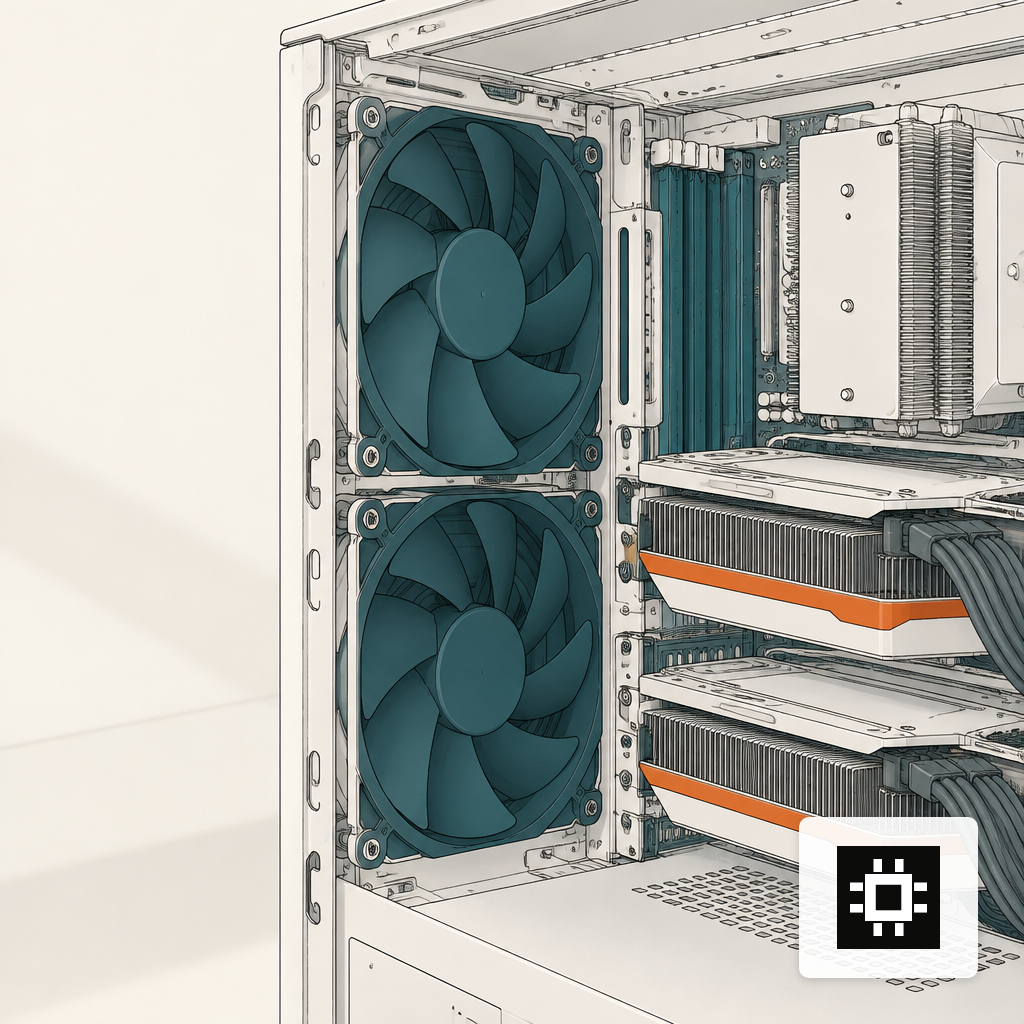
Rackmounts solve the same thermal problem with brute force. Small, fast fans and high static pressure make them loud. Rackmount systems generate 60 to 75 dB of continuous noise under load, which is why vendors explicitly tell customers not to put them at a desk. The practical consequence is simple: a rackmount belongs in a server room, an MDF closet with real cooling, or a colocation cage. If you do not have one of those, the workstation path is the honest answer, or you spend on building the room before the server arrives. Our deep dive on power, cooling and noise covers what each of those options actually costs.
Power is the other siting constraint. A tower runs on a dedicated 15 or 20 amp 120V circuit in most offices. A multi-GPU rack usually needs 208V service and redundant feeds, which is a facilities project, not a purchase.
| Requirement | Specification |
|---|---|
| Peak power draw | 10.2 kW maximum |
| Power supplies | Six PSUs, 3300 W each at 200–240 V, 16 A |
| Form factor | 8U rackmount, 35.3 in deep |
| System weight | 287.7 lbs (130.45 kg) |
| Airflow | 1,105 CFM front-to-back at 80% fan PWM |
| Heat output | 38,557 BTU per hour |
| Operating temperature | 41–86 °F (5–30 °C) |
Upgrade Path and Lifecycle
Workstations have a shallow upgrade ceiling. You can swap in larger GPUs at refresh, add RAM, and extend storage, but the chassis caps you at two to four cards and the PSU caps you lower than that in practice. Beyond that point, the only path forward is a second workstation, which means two inference endpoints, two sets of weights to manage, and no shared VRAM pool for larger models.
Rackmount servers have more headroom in the chassis and more at the rack level. You start with four GPUs, grow to eight, and if the workload keeps growing you add a second node and move toward a GPU cluster that serves larger models across machines. The four cstmAI sizes are built around this progression so a Desk unit, a Rack server, and a Cluster share the same software stack and operational model. You are not re-platforming when the workload grows; you are adding capacity to a system your team already knows.
Rack-level planning also matters because the density envelope keeps shifting. The chart below shows how rapidly per-rack power draw has climbed as GPU generations have gotten denser.
Total Cost of Ownership Is Not Just the Invoice
A workstation looks cheaper on paper and usually is. The hidden costs are smaller too: standard office power, no raised floor, no PDU planning, no redundant cooling. For a pilot or a small team, the all-in burden over three years is modest and the system is portable if priorities change.
Rackmount TCO carries real facility weight. Beyond the server itself, you are paying for rack space, power distribution, cooling capacity, UPS runtime, structured cabling, and the operational discipline to keep the room working. Those costs are justified when the server runs hot continuously and supports a user base that would otherwise pay for cloud inference by the token. They are hard to justify for a part-time workload that idles overnight.
Two other line items catch buyers. Noise mitigation for a rackmount outside a proper server room ranges from acoustic cabinets to a built-out closet, and both cost real money. And multi-GPU rack chassis assume redundant PSUs with capacity headroom, so the circuit on the wall is sized for peak draw plus margin, not nameplate. Our walkthrough of what breaks in the first 90 days covers the operational surprises that usually show up after install.
A Short Decision Framework
The choice usually resolves on four questions. Answer them before looking at GPU specs.
- Where will it live? Office or lab points to a workstation. Server room, MDF closet, or colo points to a rackmount.
- How many concurrent users? Fewer than ten active users and bursty load fits a workstation. Sustained concurrency or scheduled agent traffic needs a rack.
- What is the largest model you plan to serve? Models up to roughly 32B at reasonable quantization fit on one or two GPUs. A 70B model served at useful latency usually wants four or more GPUs with fast interconnect, which is a rack conversation.
- What is the 24-month path? If the pilot has a credible production target with a department behind it, buy the form factor the production system will need. Migrating from workstation to rack mid-project costs more than buying the rack six months early.
If the answer is genuinely ambiguous, start with the hardware estimator to size GPUs and VRAM against your actual workload before committing to a chassis.
Where cstmAI Desk and Rack Fit
The product line maps directly to the two cases above. cstmAI Desk is a one- to two-GPU workstation sized for individual developers, small teams, and pilots that need a real inference endpoint without a facilities project. cstmAI Rack is a four- to eight-GPU server for departmental and production workloads where concurrency and uptime matter. Both ship with the same software stack, the same operational tooling, and the same model support for Llama, Qwen, Mistral, DeepSeek, Gemma, and gpt-oss, so moving work between them is a configuration change rather than a rebuild.
The honest answer most of the time is to buy for the workload you will have in a year, not the one you have at kickoff. Workstations are the right call for development, small teams, and pilots that may never grow. Rackmounts are the right call for production inference, multi-user access, and workloads where downtime has a cost. The expensive mistake is not buying the wrong size the first time. It is buying the right size for the week of install and the wrong size for the year after.