Pick any three open-weight model families today and the deployment story sounds the same from the outside: download weights, point an inference server at them, send traffic. In practice, Llama, Qwen and Mistral land on your GPUs with very different footprints, tokenizers and licenses, and the server flags that make one of them fast will leave another one idling.
This is the part that gets skipped in sizing posts. You know you need VRAM; the question is how much, in what shape, and which engine turns that silicon into tokens per second for the model you actually chose. Below is a side-by-side deployment path for the three families you are most likely to shortlist this quarter.
How the Three Families Differ Before You Install Anything
Start with what you are actually downloading. Meta released Llama 3.1 on July 23, 2024 in three sizes, 8B, 70B and 405B parameters, and the lineup since has pushed in both directions with smaller instruct variants and larger mixture-of-experts siblings. All three sizes share a 128K context window and a dense transformer architecture, which keeps the serving profile predictable: VRAM scales with parameter count and KV cache, not with routing.
Qwen is the opposite bet. Alibaba shipped Qwen2.5 on September 19, 2024 across seven sizes from 0.5B to 72B, with context lengths up to 128K and most weights under Apache 2.0. The follow-up moved to sparse experts: Qwen3 landed on April 29, 2025 with a flagship Qwen3-235B-A22B that totals 235 billion parameters but activates 22 billion per token. That gap between total and active parameters is the single most important number for sizing a Qwen MoE box, because weights still have to fit in VRAM even when only a slice runs per token.
Mistral sits in the middle. Mistral Large 2 is a dense 123-billion-parameter transformer with a 128K context window, sized so it runs at high throughput on a single node. Smaller Mistral and Mixtral variants give you a 7B-to-22B dense path and a sparse MoE path if you want it. The license matters here: Large 2 ships under a research license, while the 7B family and several Apache 2.0 releases are fully commercial. Check the license file before you plan a production rollout, not after.
Tokenizers also differ in ways that affect your throughput math. Llama 3 uses a 128K vocabulary tiktoken-based tokenizer; Qwen uses a 151,936-token BPE; Mistral Large 2 ships with Tekken. Prompt-token counts for the same English text can differ by 10 to 20 percent between them, which changes both your context budget and your tokens-per-second figures when you compare serving benchmarks.
Sizing VRAM for Each Family at the Weights You Will Actually Serve
Nobody serves raw FP16 weights in production unless latency is the only constraint. The practical choice is between BF16 for maximum quality, FP8 on Hopper-class GPUs for roughly half the footprint at near-parity quality, and 4-bit quantization (AWQ, GPTQ or GGUF Q4) when you need to fit a big model on a smaller box.
Rough working ranges, assuming you also leave headroom for the KV cache at your target context length:
- Llama 3.1 8B: comfortable on a single 24GB card in BF16, or on 16GB in 4-bit. A good fit for a cstmAI Desk workstation running pilots.
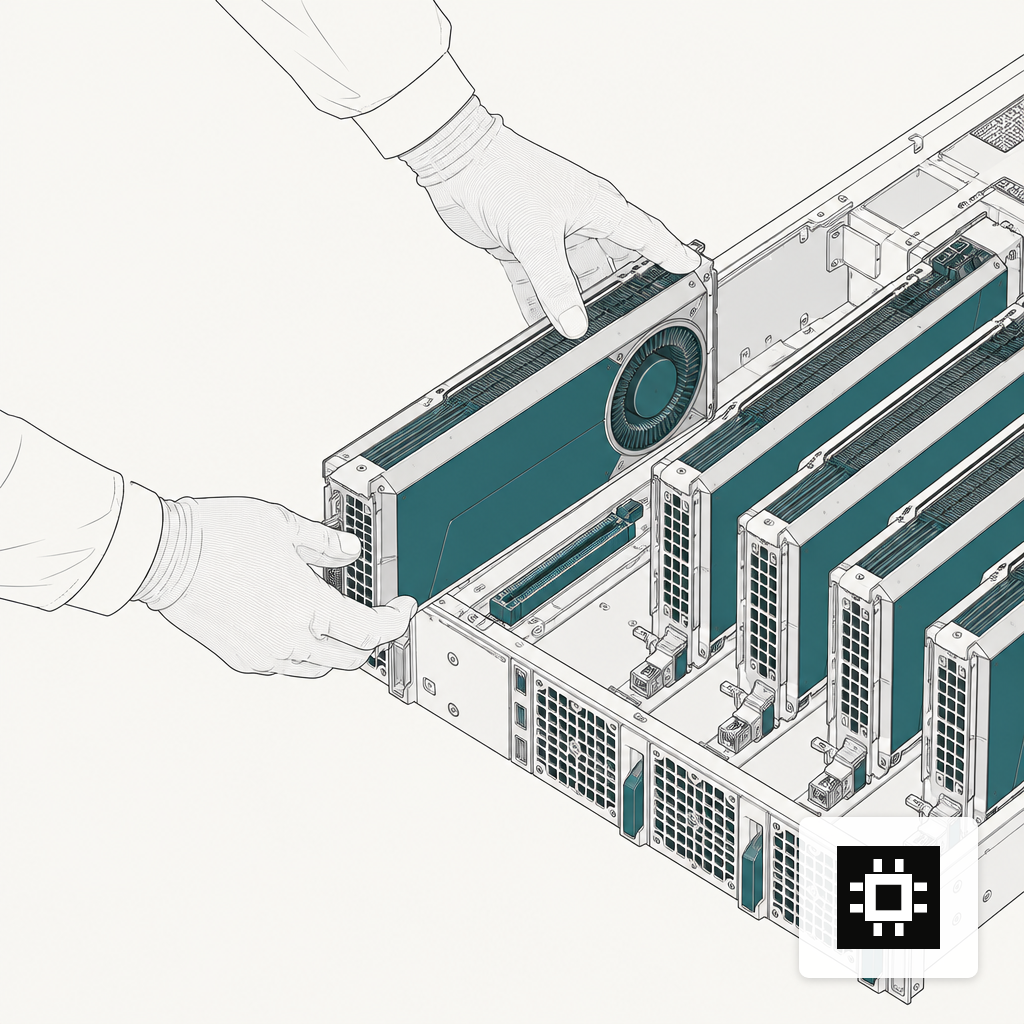
- Llama 3.1 70B / Qwen2.5-72B: 2x 80GB in BF16, 1x 80GB in FP8, or 1x 48GB in 4-bit with limited context. This is the sweet spot for a 4-GPU rack.
- Mistral Large 2 (123B): fits on 2x 80GB in FP8 or 1x node of 4x 80GB in BF16. Mistral designed it for single-node inference, which is exactly why it is popular with teams who do not want multi-node networking.
- Qwen3-235B-A22B: the full 235B weights need to be resident, so plan for 4-8x 80GB depending on quantization. Throughput per request is closer to a 22B dense model, which is the whole point of the MoE design.
- Llama 3.1 405B: multi-node territory. Meta trained it on 16,000 NVIDIA H100 GPUs and positions it against GPT-4o and Claude 3.5 Sonnet; serving it on-prem means 8x 80GB at FP8 as a floor, with multi-node for BF16.
If you want to narrow these down to the actual GPU count your workload needs, the AI hardware estimator walks concurrency, context length and quantization in one pass. For the reasoning behind GPU counts and tiers more generally, the write-up on GPU server configurations covers the sweet spots.
Picking an Inference Engine Per Model
The engine is where you spend most of your deployment time, and the right choice is not the same across these three families.
vLLM is the default starting point. The original vLLM paper showed PagedAttention improving serving throughput by 2 to 4x over FasterTransformer and Orca with no accuracy loss, and the project has kept pace with new architectures. It supports all three families out of the box, handles continuous batching well, and is the quickest route to a working OpenAI-compatible endpoint. Mistral maintains its own vLLM deployment guide that spells out tensor-parallel flags for Large 2.
TensorRT-LLM is the next step when you have squeezed vLLM and still need lower latency on NVIDIA hardware. It compiles model graphs ahead of time, uses FP8 kernels on Hopper, and typically wins on single-stream latency and small-batch throughput. The cost is build time, less flexibility when swapping checkpoints, and more work to keep multiple models warm on one node. For Llama and Mistral dense models this is a predictable gain; for Qwen3 MoE, support has lagged dense models and should be validated against your traffic shape before you commit.
Triton Inference Server is the orchestration layer underneath. Triton is open-source serving software supporting TensorRT, PyTorch, ONNX, OpenVINO and Python backends across NVIDIA GPUs, x86 and ARM CPUs, and AWS Inferentia. If you need to host more than one model on a box, want model ensembles, or need to mix a quantized LLM with a smaller embedding or vision model, Triton is the layer that routes between them.
A pragmatic default for most buyers: start every family on vLLM, measure, then migrate the one or two models that drive revenue to TensorRT-LLM under Triton.
Weights, Quantization and the Serve Command
The concrete path from a bare GPU box to a running endpoint is short once the engine is chosen. For each family, the moving parts are the Hugging Face repo id, the quantization recipe, and the engine flags that match the architecture.
- Llama: pull meta-llama/Llama-3.1-70B-Instruct, quantize to FP8 with the vLLM FP8 recipe or AWQ for 4-bit, and launch vLLM with tensor-parallel equal to GPU count. Set --max-model-len to your real context budget, not 128K, so you do not waste KV cache.
- Qwen: pull the Qwen3 variant that matches your task, remembering that the thinking and non-thinking modes behave differently under load. For the 235B MoE, use vLLM's expert-parallel flags and plan KV cache headroom carefully, because the 128K native context stretches to 262K with YaRN on newer checkpoints.
- Mistral: use the official Mistral weights with the Tekken tokenizer. Large 2 wants tensor-parallel 2 or 4 on a single node; set --kv-cache-dtype fp8 if you are serving long contexts and have Hopper GPUs.
Across all three, three settings move throughput more than anything else: tensor-parallel degree, KV cache dtype, and max batched tokens. Tune those before you touch sampling parameters.
Routing Traffic Across Models Without Painting Yourself Into a Corner
Most buyers do not pick one family and stop. A realistic on-prem setup serves a small Llama or Qwen model for cheap chat, a mid-size Mistral or Llama 70B for retrieval-augmented workloads, and a large model for the hard requests. The glue is an OpenAI-compatible gateway in front of your engines that routes by model name, enforces per-tenant quotas, and streams tokens back without buffering.
Two things earn their keep in that layer. First, structured logging of prompt and response lengths per model, so you can see which models actually need more GPUs instead of guessing from CPU dashboards. Second, a shadow-traffic switch, so you can send a copy of production prompts to a new quantization or a new model and compare quality offline before cutting over. Both are easier to add on day one than retrofit after a bad quarter. The first 90 days of on-prem AI write-up covers the operational pieces that tend to bite teams that skipped this.
What This Looks Like as a System You Can Order
Translated into hardware: a two-GPU workstation runs the 7B-to-14B tier for a small team; a 4-to-8-GPU rack covers 70B-class dense models and Mixtral-style MoE at useful concurrency; a multi-node cluster is where Llama 405B and Qwen3-235B become comfortable rather than cramped. The cstmAI hardware line is built around those three tiers plus a ruggedized edge box for sites that cannot rely on connectivity.
The deployment path is the same across all three families: pick the model, pick the quantization, pick the engine, size the GPUs to the KV cache you actually need, and put a routing layer in front. The differences, dense versus MoE, license, tokenizer, context behavior, decide which model earns which slot. If you want help translating the shortlist into a specific build and a two-week discovery sprint, get in touch for a quote. The models will keep changing; the system you buy should be ready for the next one too.