
An 8-GPU chassis sits half-idle on a 32B model, or a single-GPU workstation chokes trying to serve a 70B at 32K context. Teams buying a GPU server for on-prem inference tend to overbuy at the top and underbuy at the bottom. The models themselves are the easier half of the problem. The configuration around them, specifically how many GPUs, which interconnect, how much CPU memory, which NVMe tier, decides whether the thing actually serves the workload you bought it for.
This is a layer deeper than team-size sizing. If you have not read the earlier pieces, start with how many GPUs you need and the breakdown by team size and active use. What follows maps 1x, 2x, 4x and 8x GPU builds onto specific open-weight models from Llama, Qwen, Mistral, DeepSeek and gpt-oss, and names the trade-offs that only show up once hardware is on a purchase order.
Start From the Model, Not the Chassis
Pick the model class first. Everything else, GPU count, interconnect, CPU, RAM, storage, falls out of that choice. For open-weight models today, four size bands cover almost all production deployments:
- 7B to 14B dense (Llama 3.1 8B, Qwen 2.5 14B, Mistral 7B): fits a single 24-48 GB GPU at BF16 or 4-bit.
- 24B to 34B dense (Mistral Small, Qwen 2.5 32B, gpt-oss 20B): one 48-80 GB GPU, or two mid-range cards.
- 70B class dense (Llama 3.3 70B, Qwen 2.5 72B): two to four GPUs, or one 80 GB card at 4-bit.
- MoE and 100B+ (Mixtral 8x7B, gpt-oss 120B, DeepSeek-V3): one 80 GB card for the smaller MoE, four to eight for the large ones.
Two numbers do most of the work. Weights are roughly 2 bytes per parameter at BF16, 1 byte at INT8, 0.5 bytes at INT4. KV cache scales with context length and concurrency and often ends up larger than the weights for long-context serving. Llama 3 70B at FP16 needs about 140 GB for weights alone, dropping to roughly 40-48 GB at 4-bit. That is the single most important number in a sizing conversation.
1x GPU Builds Carry More Than You Think
A single-GPU workstation is not a toy. With an 80 GB card you can serve a 70B at 4-bit, a 32B at 8-bit, or any 7-14B dense model at full precision with room for a healthy KV cache. With a 48 GB card the ceiling is a 32B at 4-bit or a 14B at BF16. This is where most pilots and small-team deployments actually sit, and it is the shape of the cstmAI Desk workstation.
Specifics that matter at this tier:
- GPU options: a single 48 GB card like the NVIDIA L40S with 864 GB/s of memory bandwidth and 350W TDP, or an 80 GB H100 for higher throughput and HBM bandwidth.
- CPU: 16-32 cores is plenty. Tokenization, batching and the HTTP layer are not the bottleneck.
- RAM: 128-256 GB. The rule of thumb is roughly 2x total VRAM, enough for model loading, page cache and a vector index alongside the server.
- Storage: 2-4 TB NVMe. Weights at BF16 for a 70B are around 140 GB on disk; keeping two or three model variants plus a quantized fallback eats space quickly.
- Power: single 1600W PSU is typical, standard office circuit.
Watch out for the gpt-oss 120B edge case. OpenAI shipped it with native MXFP4 quantization and it is designed to fit on one 80 GB-class accelerator, which puts a frontier-size MoE on a single-GPU box. That one model moves the ceiling on this tier.
2x GPU Builds Are Where NVLink Starts Mattering
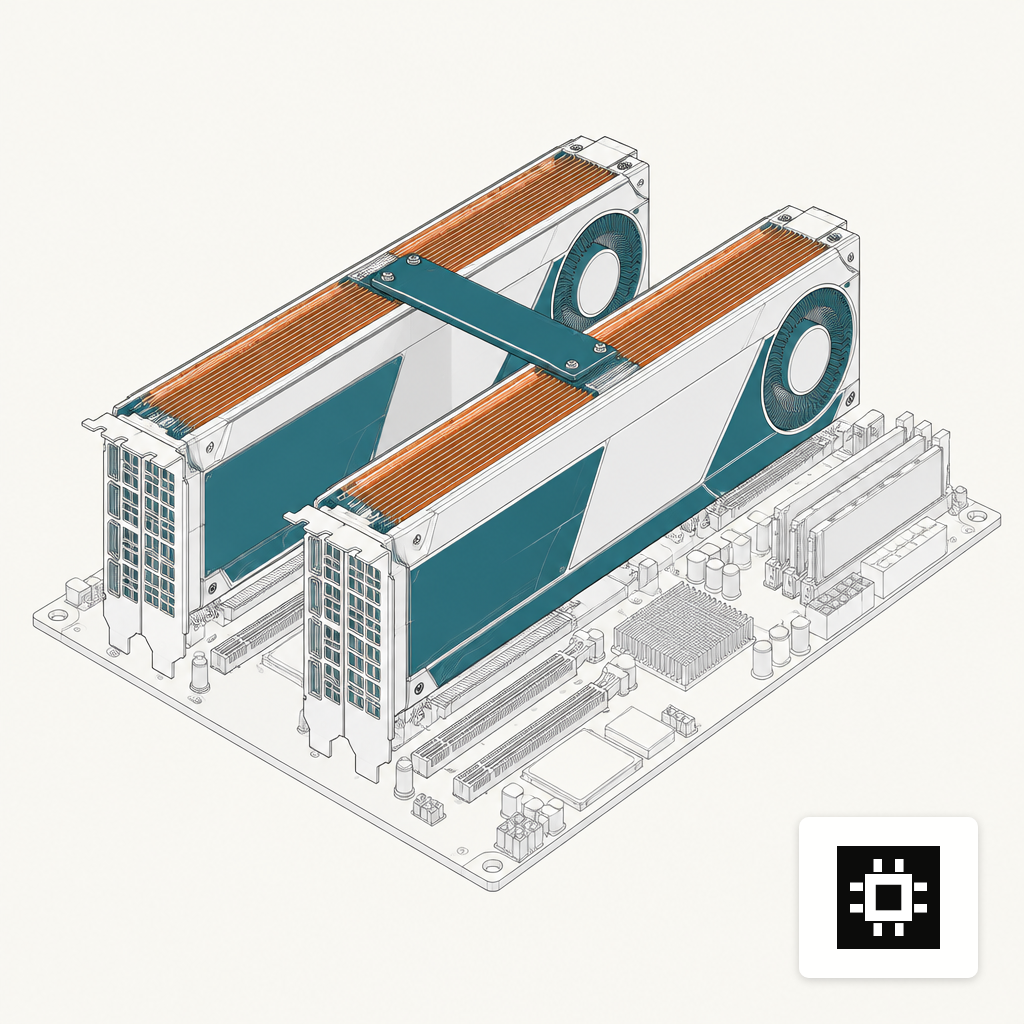
Two GPUs give you three options: run two independent model copies for throughput, split one larger model across both with tensor parallelism, or hold one model in VRAM and leave the second free for embeddings, reranking or a draft model for speculative decoding. The right answer depends almost entirely on the interconnect.
PCIe Gen4 x16 tops out around 32 GB/s per direction between two cards. NVLink on current data-center GPUs is an order of magnitude higher, and on the NVIDIA B200 fifth-generation NVLink delivers 1.8 TB/s of bidirectional bandwidth per GPU. For tensor-parallel inference of a 70B at BF16 across two cards, that bandwidth difference shows up as real tokens-per-second on long prompts.
Important nuance: not every card supports NVLink. The L40S has no NVLink and relies on PCIe peer-to-peer for multi-GPU communication. Two L40S run two model replicas very well. Two L40S trying to tensor-parallel a 70B with 32K context are a worse buy than one H100 80 GB. Spend the budget on the interconnect your workload actually uses.
4x GPU Builds Are the Honest 70B Serving Tier
Four GPUs is where most production serving of 70B-class dense models and medium MoEs lives. The chassis is a 4U rack server, redundant PSUs, and typically 2-4 kW under load. This is the realistic home for a 70B at 8-bit serving a department, or a Mixtral 8x7B serving a larger one.
Mixtral is a useful planning target because its sparse-MoE routing changes the math. The paper describes 46.7 billion total parameters with only about 13 billion active per token under top-2 routing from 8 experts per layer. You pay for the full 46.7B in VRAM, but you compute roughly as fast as a 13B dense model. That is why MoE eats 4-GPU budgets well: the memory needs the hardware, the throughput feels like a smaller model.
Reasonable 4-GPU spec floors:
- GPUs: 4x 48-80 GB, NVLink or NVSwitch if the plan is tensor parallelism, PCIe if the plan is four model replicas.
- CPU: dual-socket, 48-96 cores combined. More matters for data preprocessing and document pipelines than for inference itself.
- RAM: 512 GB to 1 TB. Serving multiple models, embeddings and a vector DB on the same box adds up.
- Storage: 8-16 TB NVMe in RAID, often tiered with slower SATA for cold model archive and logs.
- Power and cooling: 2-3 PSU, 208V preferred, and a room that can actually move the heat.
8x GPU Builds Are for MoE, Fine-Tuning or Many Concurrent Users
Eight GPUs is a different animal. You are buying it for one of three workloads: a frontier MoE like DeepSeek-V3, serious fine-tuning, or genuinely high concurrency where dozens of users hit the same model at once. If none of those describe the deployment, four GPUs twice over almost always serves better.
DeepSeek-V3 is the obvious anchor at this tier. The technical report puts it at 671 billion total parameters with 37 billion activated per token. At BF16 the weights alone need over 1.3 TB of VRAM, which does not fit any single node; even at 4-bit it is in the multi-hundred-GB range before KV cache. An 8x H100 or H200 node gets you into serious quantized territory; a two-node 16-GPU setup gets you to BF16. This is where multi-node cluster planning starts, with InfiniBand or RoCE between nodes and a shared parallel filesystem for weights and checkpoints.
Typical 8-GPU shape:
- GPUs: 8x 80-180 GB with NVSwitch fabric, giving every GPU full-bandwidth access to every other GPU.
- CPU: dual-socket 64+ cores per socket, PCIe Gen5 lanes to feed the GPUs.
- RAM: 1-2 TB. Required to stage model shards and KV offload at scale.
- Storage: 30+ TB NVMe, often with a separate parallel filesystem tier.
- Power: 8-12 kW under full inference load, 10+ kW during training, usually two 208V/30A circuits minimum.
Match the Build to the Workload, Then Request a Quote
GPU count is the headline but rarely the hard part. What tends to catch deployments out is interconnect mismatched to parallelism strategy, RAM sized to the GPUs but not to the data pipeline, or NVMe sized for weights but not for the vector index and document corpus that arrive six weeks later. If you want the short version: pick the model, double-check the KV cache math at your real context length and concurrency, size the GPU memory to that total, and let interconnect, CPU, RAM and storage follow from there.
The AI hardware estimator will give you a starting shortlist against your model and user count in a few minutes. For anything past a pilot, a two-week discovery sprint and a written build spec is cheaper than a wrong purchase order, and a quote conversation is the right next step once you have a shortlist in hand.