
Most teams planning an on-prem LLM deployment pick a model, size a GPU, and assume the serving layer will sort itself out. In practice the serving layer is where the project either lands or stalls. The three open-source components people reach for first are vLLM, Ollama and Open WebUI, and each one solves a different problem. Confuse their roles and you end up with a chat app that cannot handle ten concurrent users, or a production inference server with no way for a lawyer in finance to actually use it.
This piece lays out where each component fits on vendor-neutral AI systems, where they conflict, and how to wire them together with auth, logging and governance in front. Treat it as a reference architecture rather than another sizing guide.
So what does each component actually do, and in what order should you install them?
vLLM Is the Serving Engine, Not the Product
vLLM is a GPU inference server. It loads an open-weight model into VRAM, keeps the GPU saturated with incoming requests, and exposes an HTTP API. The reason it shows up in nearly every serious on-prem design is memory management. PagedAttention reduces KV cache waste from 60-80% in traditional serving systems to under 4%, enabling 2-4x throughput improvements. That is not a marketing figure. It is the reason a single H100 can serve dozens of concurrent chat sessions on a 70B-class model instead of three.
Two features matter for enterprise work. First, vLLM ships an OpenAI-compatible HTTP server that implements the Completions and Chat APIs, and supports tensor, pipeline, data, expert and context parallelism for distributed inference. Any client library written for OpenAI points at it unchanged. Second, it scales across GPUs and nodes. The common practice for multi-node deployments is to set tensor-parallel size to the number of GPUs per node and pipeline-parallel size to the number of nodes, with inter-node fabric like InfiniBand required for tensor-parallel performance. If you are planning a multi-node GPU cluster, that constraint drives the networking spec more than the GPU choice does.
What vLLM is not: a chat UI, a user directory, an auth layer or a model manager. It serves one model per process. If you need three models online at once, you run three vLLM processes on three sets of GPUs, or you put a router in front.
Ollama Is for Developer Laptops and Edge Boxes
Ollama packages model download, quantization and local serving behind a single binary. For a developer who wants Qwen or Llama running in five minutes on a workstation, it is the right tool. For an edge AI node at a remote site serving one or two users, it is also the right tool. The command surface is small, GGUF quantization is built in, and it runs on CPU, Apple Silicon or a modest GPU.
The problem is concurrency. Ollama serializes requests in its default configuration and does not batch aggressively. At a single user, the two engines are close and Ollama can edge ahead on quantized models. The gap opens the moment real traffic arrives. Independent benchmarking on an A100 shows vLLM reaching roughly 1,450 tokens per second at 32 concurrent requests on an H100 against Ollama's roughly 320 tokens per second. That is not a tuning issue. It is a design difference, and no amount of parallelism flags closes it fully.
The honest placement for Ollama in an enterprise stack is as a developer tool and an edge runtime, not as the serving engine for the central platform. On a single-GPU workstation for pilots, running Ollama locally is often faster to iterate on than hitting the shared vLLM endpoint over the network. Teams can prototype prompts and agents against Ollama, then point the same OpenAI-client code at vLLM for production.
Open WebUI Is the User-Facing Layer
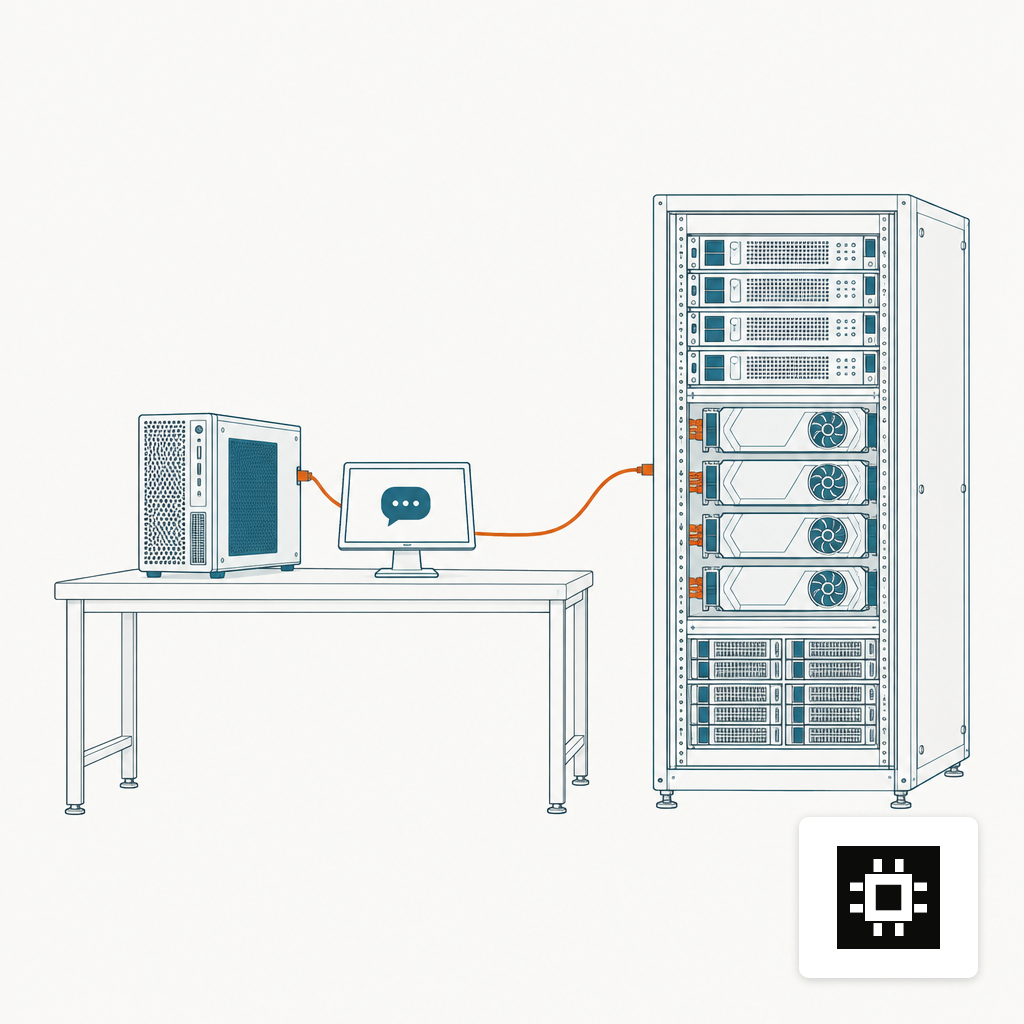
Open WebUI is the chat interface, user directory and document-chat layer that most non-technical users will actually see. It is deliberately backend-agnostic. The project supports Ollama and OpenAI-compatible APIs with granular RBAC, user groups, and plugin extensibility via Filters, Actions, Pipes, Tools and Skills. Because vLLM exposes the OpenAI schema, Open WebUI treats it as just another provider.
Wiring is boring and that is the point. You run vLLM on your GPU host, run Open WebUI in a container pointed at http://vllm-host:8000/v1, and the models appear in the dropdown. Teams that put Open WebUI in a Docker container and vLLM on the same host trip on one thing: localhost inside a container is not the host. Use the host IP or the Docker host alias, not 127.0.0.1.
For compliance work, Open WebUI's role is as the policy enforcement point. Its self-hosted, on-premise and air-gapped architecture provides technical controls that can support deployments regulated under frameworks such as SOC 2, HIPAA, GDPR, FedRAMP or ISO 27001, including SSO/LDAP identity integration and audit-ready logging compatible with enterprise SIEM tools. Pair that with a reverse proxy for TLS and an identity provider up front, and most of the governance story is in place. For the identity layer itself, our write-up on enterprise SSO with SAML and OIDC covers the patterns worth copying.
Keep patch management on the schedule. A code-injection vulnerability (CVE-2025-64496) affected Open WebUI versions through 0.6.34 and was patched in 0.6.35. Self-hosted does not mean set and forget.
Where the Three Components Conflict
The clean split is: Ollama for laptops and edge, vLLM for central serving, Open WebUI for the user interface. The messy middle is where teams get stuck.
Three conflicts come up repeatedly:
- Model format. Ollama speaks GGUF. vLLM prefers HuggingFace safetensors with AWQ, GPTQ or FP8 quantization. The same model name on both engines is not the same artifact, and performance per GB of VRAM differs. Pick the engine first, then the quantization.
- Who owns the OpenAI endpoint. Open WebUI can connect to Ollama's native API or any OpenAI-compatible server. If you keep both backends wired in, users will see duplicate model entries and route requests to whichever is faster to click. Turn off the Ollama connection on the central Open WebUI instance once vLLM is live.
- Multi-model serving. vLLM serves one model per process. If three teams need three different models simultaneously, you run three vLLM processes with their own GPU allocations, or put a routing proxy in front that merges them into one OpenAI endpoint. Guessing wrong here is one of the recurring issues in our notes on what breaks in the first 90 days.
A Reference Architecture for cstmAI Hardware
A workable layout for a mid-market deployment on a Rack or Cluster system looks like this. From the user inward:
- Reverse proxy and SSO. Nginx or Traefik terminates TLS and forwards to Open WebUI. SAML or OIDC in front, mapped to groups.
- Open WebUI. One container, pointed at the vLLM endpoints. RBAC configured by group. Audit logs forwarded to the SIEM.
- Routing proxy (optional). If you need multiple models, a small proxy merges several vLLM instances into one OpenAI base URL.
- vLLM instances. One per model, pinned to specific GPUs. For a 70B-class model on tensor parallelism, see our notes on GPU memory for 70B models.
- Ollama. On developer workstations and any edge nodes. Not on the central cluster.
Logging sits at two layers. Open WebUI captures the prompt, user, model and response for policy review. vLLM captures request latency, token counts and GPU utilization for capacity planning. Ship both to the same log store so you can correlate a slow user complaint with a batch that filled the KV cache.
Hardware Choices That Follow From the Stack
The stack dictates the hardware more than the model name does. A few patterns worth planning around:
- VRAM per GPU drives model choice. vLLM runs best when the full model and KV cache fit without aggressive quantization. For 70B models at FP8, that pushes you toward 80 GB class GPUs.
- Inter-node fabric drives multi-node vLLM. Tensor parallelism across nodes without InfiniBand or equivalent is not worth deploying.
- Concurrency drives GPU count, not model size. Our breakdown on sizing by team size and active use matches what vLLM's batching actually delivers.
- Storage matters for Open WebUI's RAG features. Vector stores and uploaded documents sit next to the serving layer, not on the GPU host.
The sizing estimator will give you a VRAM and GPU count for a given model and user count. The serving stack above is what you build on top of that number.
Where to Start
If you are standing up this stack from scratch, the sensible order is vLLM first on one model, Open WebUI pointed at it, SSO wired through a reverse proxy, then logging to the SIEM. Add a second model and a routing proxy when a second team asks. Keep Ollama on developer machines for prototyping. That sequence avoids the two failure modes we see most: a chat UI with no concurrency underneath, and an inference server with no governance in front.
None of these components are proprietary and none require a vendor contract to try. What they do require is a GPU host sized for the actual workload and a plan for identity, logging and patch management on day one. If you want help turning that plan into a running system, get a quote and we will walk the architecture with you.