
A single open-weight model, Meta's Llama 3.1 405B, needs about 810 GB on disk at BF16, before any vector index, KV cache spill, or checkpoint. That number anchors the NVMe decision on a cstmAI Rack or Cluster more than any vendor spec sheet does.
Treating storage as the last line item means buying the wrong drives twice. Too little endurance for checkpoints, the wrong tier mix for retrieval, and a RAID mode that halves usable capacity for reliability the GPUs never actually benefit from.
What NVMe Carries on an AI Server
An on-prem LLM server loads four different kinds of data from NVMe, and each one bends the drive choice in a different direction.
Model weights stream sequentially from disk into GPU memory at startup or when a model swaps in. Reads are large and burst-shaped. Vector databases, used for retrieval-augmented generation, serve random reads with low tail latency. KV cache offload, where attention state spills from VRAM to NVMe during long-context inference, mixes reads and writes with tight latency targets. Fine-tuning checkpoints flush sustained write bandwidth every few minutes, which chews through drive endurance faster than any other workload on the same box.
PCIe lanes feeding these drives are also feeding the GPUs, so this is not a separate decision from GPU count. PCIe lane bottlenecks on four-GPU builds decide how many Gen5 drives can run at line rate.
Capacity Math for Weights, Vectors, and KV Offload
Weight storage scales linearly with parameter count and precision. At BF16, a 70B model needs roughly 140 GB, a 180B model around 360 GB, and Llama 3.1 405B lands at the 810 GB cited above. Most on-prem deployments keep three or four model variants on disk for A/B testing and fallback, so planning for four to eight times the largest model is a reasonable floor. Running a 70B model at multiple quantizations also means storing INT8 and INT4 copies alongside BF16.
Vector databases add capacity proportional to document count, embedding dimension, and index type. A million 1024-dim float32 embeddings is about 4 GB raw; with HNSW overhead and metadata, plan two to three times that. KV cache offload is bursty: a 128K context, batch 16 run at 70B parameters can need tens of GB of transient NVMe scratch per inference process.
On a Rack serving 50 to 100 concurrent users with a few active models, 20 to 40 TB of usable NVMe is a reasonable first estimate.
Fine-Tuning Turns Storage Into a Write Workload
Fine-tuning changes the shape of the problem. Instead of streaming weights to GPUs, drives absorb sustained writes as checkpoints flush from GPU memory to local or parallel storage every few minutes. MLPerf Storage v2.0 collected more than 200 results from 26 submitting organizations across seven countries, with tested systems serving roughly twice the accelerators of the previous round, which tells you how fast the write side of the workload is growing.
Two implications for a buyer. First, read-optimized drives at 1 DWPD will reach end of life early if the same box is asked to train. Spec at least 3 DWPD on the checkpoint tier. Second, the sustained write path has to land somewhere with real bandwidth rather than an afterthought array of consumer drives behind a RAID 5 group.
The chart below shows how much of a representative 800-billion-parameter training cycle goes to checkpoint I/O versus productive compute.
RAID 0, 1, 10 or None Per Tier
RAID decisions follow the workload, not the drive. A weight tier that can be re-pulled from an object store in minutes does not need mirroring; a drive failure costs a download, not data. Scratch tiers for KV offload are ephemeral by definition and belong on RAID 0 or no RAID at all, since redundancy adds latency without protecting anything the model needs after the request completes.
Vector databases and fine-tuning checkpoints are the opposite case. They are slow to rebuild, and the write pattern punishes parity schemes. RAID 10 doubles the drive count but also roughly doubles effective write bandwidth and keeps rebuilds short, since each replacement only resilvers from its mirror partner rather than reading every drive in the group. RAID 5 on NVMe looks cheaper on paper, but each write requires reading old data, reading parity, computing new parity, and committing both, which taxes the same drives that serve inference requests alongside the training run.
GPUDirect Storage and the PCIe Path
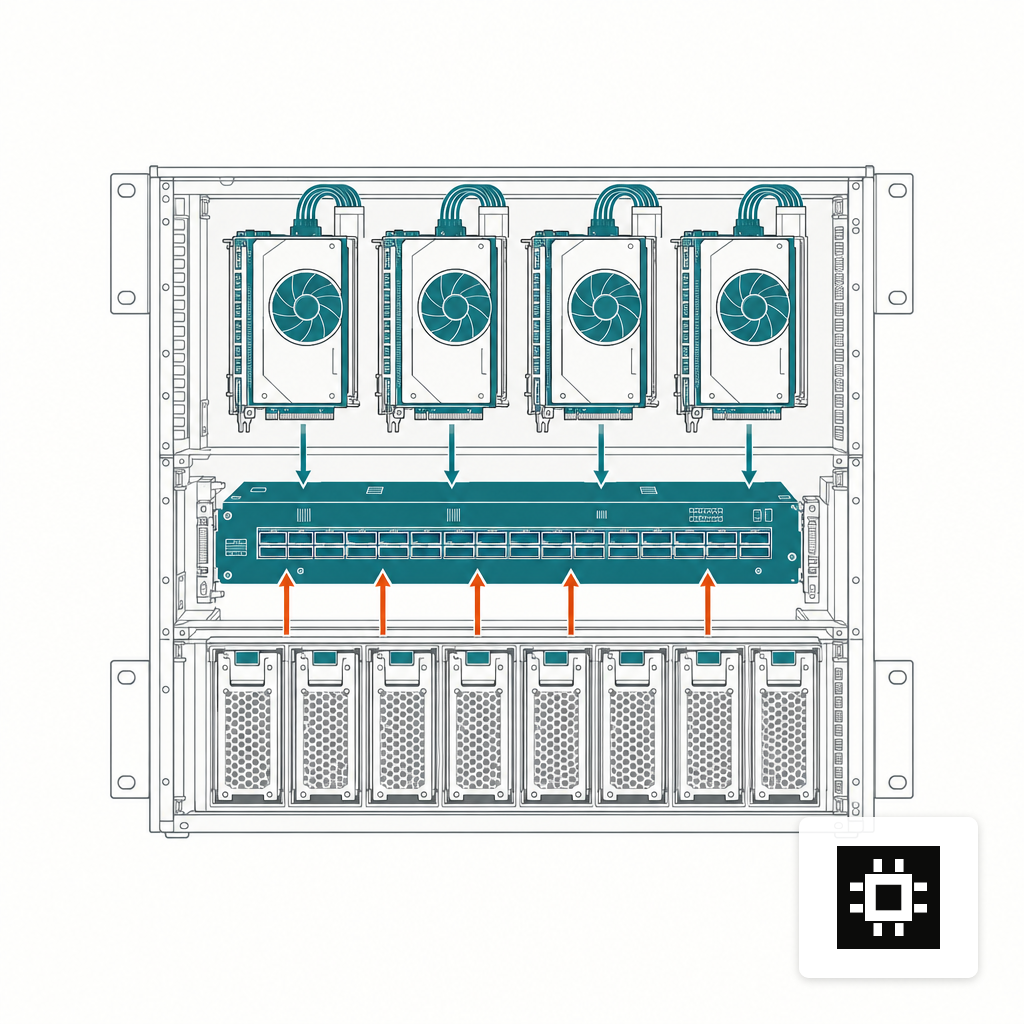
A direct DMA path from NVMe to GPU memory, bypassing the CPU bounce buffer, is the main reason storage decisions cannot be made in isolation from the motherboard layout. The path performs best when drives and GPUs share a PCIe switch rather than routing every transfer through the CPU root complex. That decision happens at the chassis level, not at the drive bay.
The Micron 9550 Gen5 reaches about 14 GB/s sequential reads and 10 GB/s sequential writes at up to 30.72 TB per drive, enough to saturate a single x4 Gen5 slot. Four of these behind a shared PCIe switch feeding a pair of H100s can keep weight streaming off the CPU entirely, provided the slot assignment is right.
If the rack is already short on lanes for GPUs, adding Gen5 drives behind the wrong switch yields little of the benefit.
Specifying Drives for a Rack or Cluster
At the Rack scale, a practical split is a small boot and OS pair, a hot tier of Gen5 drives for weights and vector indexes, and a warmer Gen4 tier for logs, checkpoints and archive. Capacity, bandwidth and endurance each need to be specified separately rather than left to vendor defaults.
Clusters add parallel file systems — Lustre, Weka, VAST — which change the math because capacity and bandwidth scale across nodes rather than inside one chassis. Local NVMe on each node still matters for scratch, KV offload and checkpoint staging. Llama 3.1 was pretrained on 15.6 trillion tokens across more than 16,000 H100 GPUs, which sets the ceiling of the market; on-prem deployments rarely approach that, but the tier structure is the same shape.
For a mid-size build, the sizing estimator gives a first-pass storage number alongside GPU and VRAM output. The chart below walks the order of decisions.
- 11. GPU memory (vRAM)Fast and directly connected to the GPU · Fixed capacity, cannot be upgraded
- 22. Data fabricPCIe bus, network cards, DPUs — anything in the datapath between storage and GPU memory · Connects the tiers; where GPUDirect Storage pays off
- 33. Storage devicesHard drives, flash drives, and hybrid arrays combining the two · Scalable in capacity but slower, especially on latency
Three Starting Points by Workload
If you are buying a Rack for inference only, start with an 8 to 16 TB Gen5 hot tier mirrored in RAID 1, a smaller OS pair, and a warm Gen4 tier for logs. Keep DWPD modest; writes are limited to vector index updates and logs.
If the same box also fine-tunes, add a RAID 10 checkpoint tier with 3+ DWPD drives, sized for two or three consecutive checkpoints of your largest model plus headroom for async drain.
For a multi-node Cluster, the drive decision moves up a level: pick the parallel file system first, then spec local NVMe on each node for scratch and KV offload. Before any of that, comparing Rack and Cluster configurations against the model and user count is cheaper than reversing the decision mid-deployment.