The choice between a colocation cage and your own server room for GPU servers is decided by power density, not preference. Under about 20 kW per rack you can usually keep the hardware in-house; above 40 kW, a Tier III or IV colocation facility is the realistic answer.
Three constraints usually settle it: the shape of the cost, the kilowatts the rack will actually draw, and how often your engineers need hands on the box. Each pulls in a different direction depending on what you are buying and how you plan to run it.
Cost Structure Behaves Differently Than You Expect
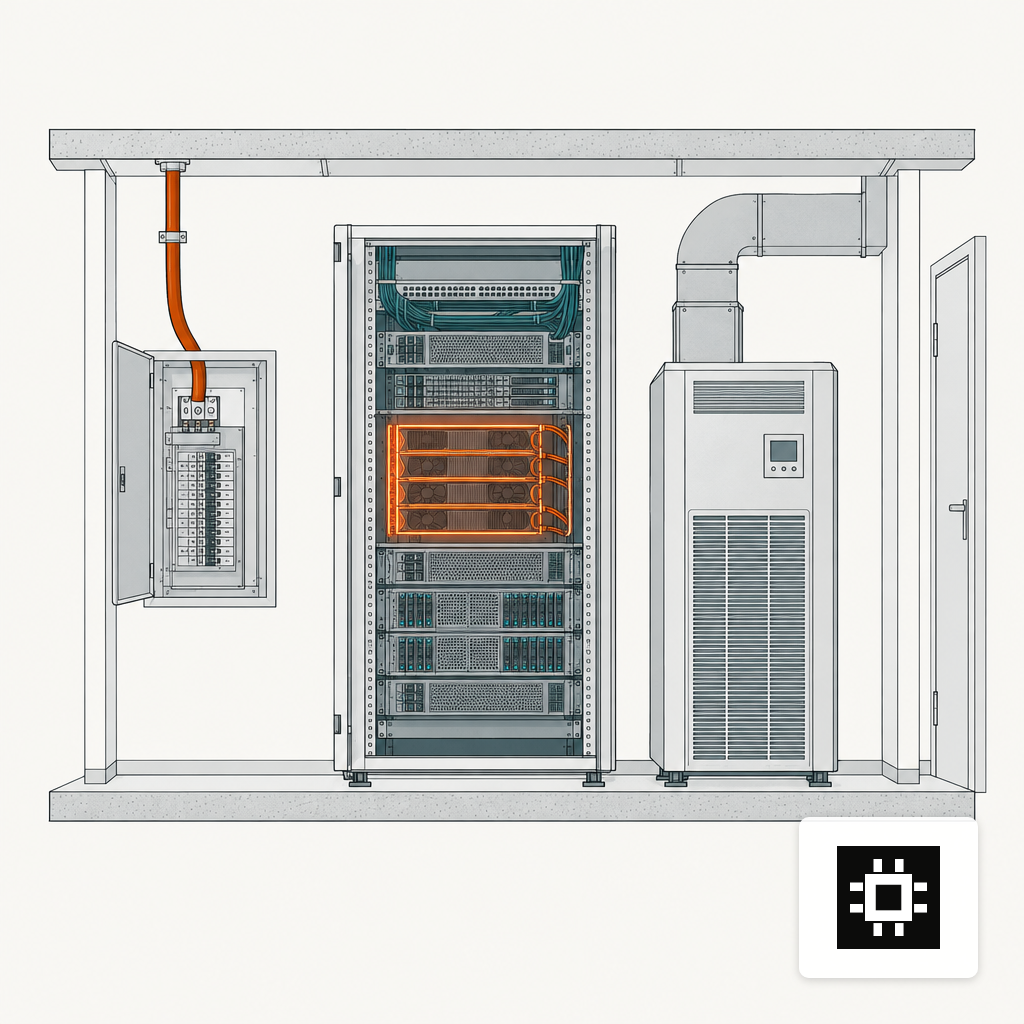
Your own server room is a capex purchase. You pay once for the electrical work, PDUs, a UPS sized to the load, a CRAC unit or in-row cooler, a fire-suppression retrofit, and whatever structural work the floor needs for the weight of a loaded rack. Those costs are sunk and they do not scale down if the project pauses or pivots.
Colocation is an opex contract. You rent a fraction of a rack or a full cage, a per-kilowatt power draw, and a cross-connect for your WAN. Space is cheap in that model. Power is what you actually buy, and the kW figure you commit to shapes the invoice more than anything else.
The build-cost spread widens as density climbs. Standard enterprise facilities come in near $10 to 12 million per megawatt; AI-ready facilities that support high-density compute and liquid cooling land around $20 million per megawatt or more. You are not going to replicate that per-MW spend in a converted closet, which is why the "we will just add another AC unit" plan for an 8-GPU rack tends to end badly six months later.
Power Density Is the Hard Constraint
Rack density is the single number that forces this decision.
A 4-GPU air-cooled workstation at 3 to 5 kW fits any well-ventilated room with a dedicated circuit. A loaded 8-GPU server with H200 or B200 class accelerators runs 10 to 14 kW per chassis, and two of them in one rack is already more than most legacy server rooms can cool. Past about 30 kW per rack, conventional CRAC-based rooms need rear-door heat exchangers, in-row CDUs, or direct-to-chip plumbing, which is a significant retrofit of a space that was designed for 5 kW blade servers.
NVIDIA's newest rack-scale systems have pushed this past 100 kW per rack. Our note on liquid versus air cooling covers the thermal side; what matters for the siting decision is that most enterprise rooms will not deliver that much clean power to a single cabinet without a transformer upgrade, and transformer upgrades are not short. The Open Rack V3 standard uses a 48V DC busbar and 30 kW power shelves so modern colos can absorb that density at scale; most enterprise rooms cannot without being rebuilt.
Physical and Network Access Decides the Rest
Access is the third pull.
Your own server room means a 30-second walk to swap a bad GPU, your own change control, and no scheduled window to coordinate. For a cstmAI Desk or a single Rack supporting a pilot or a small production workload, that speed is worth real money. It also matters for network-isolated builds, where the fewer external parties with physical access, the easier the isolation is to defend in an audit.
Colocation inverts the trade. You get carrier-neutral connectivity, redundant utility feeds, generator backup, and remote hands around the clock. You lose immediate access. A GPU swap means a drive, a badge check, and a smart-hands ticket, and your access policy is governed by the facility's attestations rather than your own. A SOC 2 Type II report tests whether a provider's controls operated effectively over a six-to-twelve month window, which is useful for the compliance team but does nothing in the middle of the night when a drive has failed and the on-call engineer is forty minutes away.
Reliability is the other side of the access coin. A room you built yourself is as available as your weakest utility feed and your newest UPS battery. A Tier III or IV facility is engineered for concurrent maintainability or fault tolerance, which translates to hours or minutes of unplanned annual downtime rather than days. That difference matters for inference endpoints feeding real users; it rarely matters for a batch training run that can wait a few hours.
Where Each Option Fits
A short decision frame holds up for most buyers.
A single cstmAI Desk or one Rack, under 15 kW, non-regulated workload: your own server room is usually the right call. Hardware fits a standard cabinet, the electrical work is finite, and you keep your engineers close to the box. The AI hardware estimator is the fastest way to confirm actual draw before you commit the room.
Two to four racks at 20 to 40 kW each: it depends. If you already have a well-fed room with 400A service and spare cooling headroom, upgrade it. If you are starting from a converted closet or a shared comms room, a quarter-cage at a nearby colo is usually faster to production than a six-month electrical permit and a new chiller loop.
Multi-node cluster at 50 kW per rack and up, or anything with NVLink-connected GB200 trays: colocation. The transformer, the chilled-water loop, and the floor loading are not things you retrofit while running a business.
Edge and remote sites: neither. The box lives where the work happens, and the cstmAI Edge form factor is built for that. Colocation adds no value when the point of the deployment is to run without a wide-area dependency.
The Density You Draw Six Months In
The figure worth watching is the kilowatts per rack your AI workload actually pulls three to six months after the first system goes live, not the number on the spec sheet. If that figure stays under 15, your own room is doing its job. If it climbs past 25 and keeps climbing as your team enables more models and more concurrent users, start the colocation conversation before the next model generation forces it. The power and cooling load on self-hosted servers only grows from there, and utility-side upgrades are not something you order and receive in a quarter.