A CFO or steering committee review is where on-prem AI projects tend to stall: someone has to justify the hardware spend, and the deck is full of vendor claims that do not survive a technical review. The numbers that matter are scattered across GPU datasheets, data center engineering guides, cooling studies and industry surveys, and they rarely line up neatly.
This page pulls those figures into one reference. Nothing here is a projection. Each number comes from a published source, with a short note on what it means when you are the person signing the PO.
On-Prem LLM Adoption Is No Longer a Minority Position
The old assumption that serious AI only runs in hyperscale clouds has broken down over the last 24 months. Enterprise AI inference performed on-premises or at the edge has reached 55%, up from 12% in 2023, a 4.6x shift in three years. On the market side, on-premises deployment leads at 59% of LLM market share by segment, with regulated industries driving the concentration.
Security is the stated reason more often than cost. 31% of enterprises rank data privacy compliance as the top factor when selecting an LLM provider, and 44% identify security as the greatest barrier to AI adoption. If you are building the business case, that is the lever: data residency, audit trails, and the ability to point at a specific rack in a specific building are easier to defend than a cloud contract when a regulator asks.
The practical implication for buyers is that board-level pushback on an on-prem build is now the exception, not the default. The harder conversation is usually about which workloads come on-prem first, which stay in a SaaS tool, and where a hybrid pattern is honest rather than hand-waving. Our note on buy vs lease decisions covers the finance side in detail.
GPU Memory Is the First Spec That Decides Everything
VRAM, not FLOPS, is what gates which models you can serve. The rule of thumb at 4-bit quantization is roughly 0.6 GB of VRAM per billion parameters for weights, before context. In practice that means a 70B model needs about 42 GB in INT4, 70 GB in FP8, and 140 GB in FP16, and the KV cache sits on top of that.
KV cache is the figure that bites. Llama 3.3 70B uses about 2.6 GB of cache at 8K context and roughly 41 GB at 128K, on top of the weights. If you size a system for a 70B model at 8K and your users start pasting 100-page PDFs into it, you will run out of memory before you run out of compute.
Current single-GPU memory tops out at 141 GB of HBM3e at 4.8 TB/s on the NVIDIA H200, a 1.4x bandwidth increase over the H100. At the server level, an eight-way HGX H200 delivers over 32 petaFLOPS of FP8 and more than 1.1 TB of aggregate HBM memory. That is enough headroom to serve a 70B model with long context to dozens of concurrent users, or to run a frontier MoE at reasonable quality.
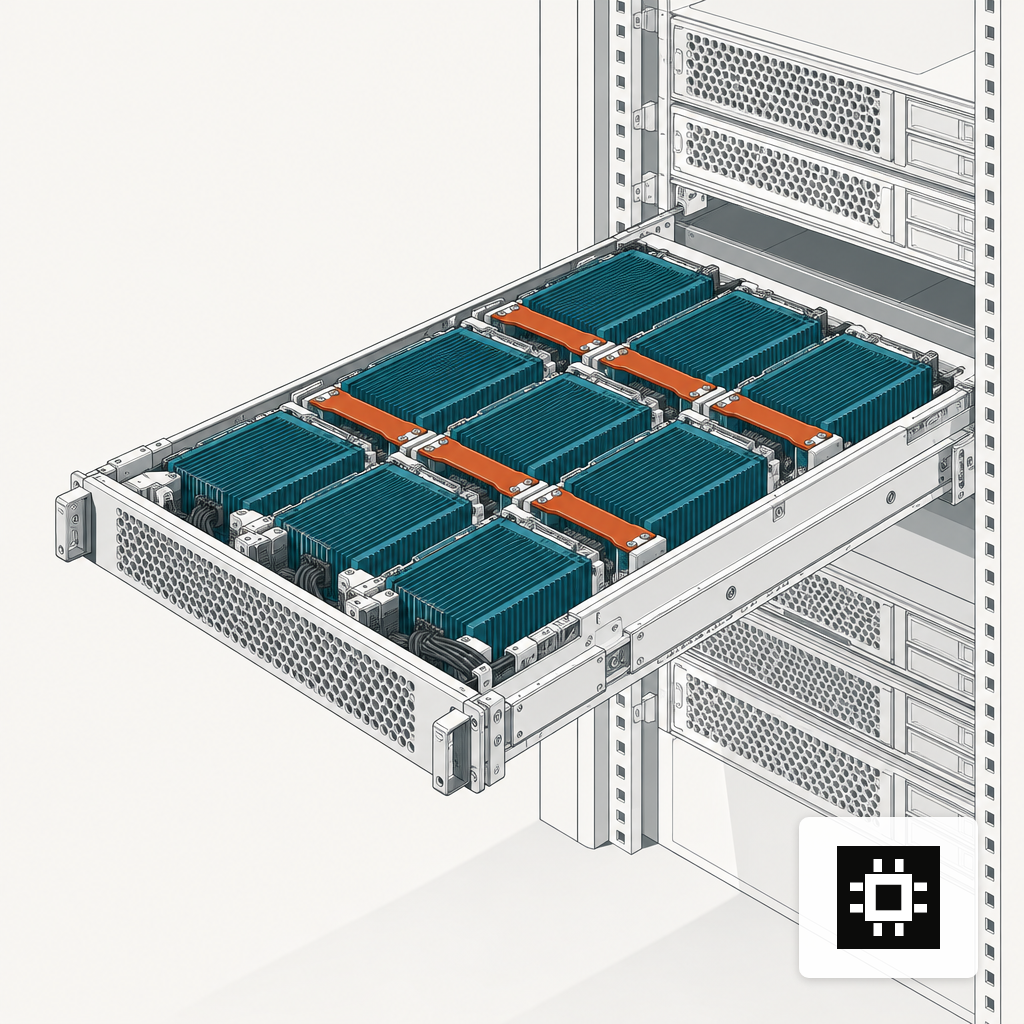
The buying mistake we see most often is picking a GPU on sticker performance rather than on the model you actually plan to run, two years out. If your roadmap includes a 70B dense model with 32K context for a 50-person team, 24 GB cards will not get you there regardless of how fast they are. The AI hardware estimator walks through this trade-off against real workload shapes, and the deeper logic is in our piece on sizing by team size and active use.
Rack Power Draw Has Moved Into a New Regime
The single most expensive surprise in on-prem AI is electrical. A typical AI rack with modern GPUs draws 40 kW to 100 kW, compared to 7-10 kW for a traditional data center rack, and the largest AI facilities approach a gigawatt of demand. At the top end, NVIDIA's GB300 NVL72 integrates 72 Blackwell Ultra GPUs and 36 Grace CPUs with liquid cooling and can require up to approximately 142 kW per rack.
Server-level math gets you there faster than people expect. A dual-socket CPU server draws 600-750 watts, a single AI-optimized GPU consumes 700-1,200 watts, and a typical 8-GPU AI server reaches 10-12 kW before networking and cooling overhead. Two such servers in a half-populated rack already exceed what most legacy colos were built for.
The practical question for an IT leader is whether the building can accept the load at all. A floor that was engineered for 7 kW per cabinet does not become a 60 kW floor by adding bigger PDUs. You will need to look at upstream feeds, transformer capacity, and the UPS line, and if the answer is "not without a renovation", that is a 6-12 month variable that belongs in the project plan from day one.
Cooling Thresholds Decide Whether You Need Liquid
Cooling is where power becomes thermodynamics. The thresholds now in common engineering use are specific and worth memorizing before you spec a room.
- Air cooling becomes physically inadequate above approximately 30 to 40 kW per rack, because the air volume and velocity needed to remove that much heat exceeds what standard airflow systems can deliver.
- Direct-to-chip liquid is the baseline for the 40-150 kW range, and immersion covers 100-200 kW and above.
- GB200 NVL72 and GB300-class systems sit at 120-142 kW per rack, which puts them squarely in liquid-only territory.
Not every on-prem build needs this. A single cstmAI Rack with 4-8 GPUs serving a mid-sized team will typically sit in the 10-20 kW band, which is well within what hot aisle containment and rear-door heat exchangers can handle in most existing rooms. The threshold conversation gets expensive when you cross into multi-node clusters with current-generation accelerators, which is why we treat it as a design decision in the discovery phase rather than a procurement afterthought.
The Economics Only Work Above a Usage Line
On-prem AI is not automatically cheaper than cloud, and anyone who tells you otherwise is selling something. On-premise LLM deployments can deliver 30-50% long-term savings over three years compared to cloud when usage stays consistently above 60-70%. Below that line, the fixed cost of the hardware works against you.
The market context is that inference demand keeps rising. The global AI inference market was valued at USD 106.15 billion in 2025 and is projected to reach USD 254.98 billion by 2030, at a 19.2% CAGR driven by generative AI and LLMs. That trajectory makes the usage assumption easier to defend for any workload that is already in production, and harder to defend for a speculative pilot.
The honest planning rule: if your projected GPU hours over the next 36 months do not keep the hardware above 60% average load, lease or rent until they do. If they comfortably clear that bar, the on-prem math works and the compliance and latency benefits are a bonus rather than the whole case.
What Breaks and What to Watch
Three operational numbers tend to show up in the first year that no one plans for.
- Context growth. Users do not stay at 4K tokens. KV cache grows roughly linearly with context length, and a 70B model at 128K context can need an order of magnitude more cache memory than at 8K.
- Concurrency spikes. Steady-state throughput and peak throughput can differ by 5-10x, especially when an agent framework starts fanning out requests. Size for the peak you will actually see, not the average.
- Model refresh cadence. Open-weight model families now release meaningful upgrades every 3-6 months. A system that cannot absorb a 2x parameter bump without a hardware change will age out of its own roadmap.
Most of the failure modes we see in the first 90 days trace back to one of these, and we have cataloged them in a separate piece on what breaks early in on-prem AI deployments.
Using These Numbers in a Business Case
None of the figures on this page are destiny. They are the shape of the current landscape, which is still moving faster than most procurement cycles. The right way to use them is as sanity checks against vendor claims and against internal assumptions, not as targets.
If a vendor's rack density claim does not match the thermal envelope of your building, that is a real problem. If your usage forecast sits well below 60%, the on-prem case needs a non-financial reason to carry it. If your model roadmap outruns your VRAM headroom in 18 months, you are buying a problem rather than solving one. The numbers help you catch those mismatches early, while they are still cheap to fix.